mirror of
https://github.com/ArthurSonzogni/FTXUI.git
synced 2025-12-16 01:48:56 +08:00
Compare commits
1 Commits
6ff53bb98e
...
6b9716b72c
| Author | SHA1 | Date | |
|---|---|---|---|

|
6b9716b72c |
@@ -1,8 +1,6 @@
|
|||||||
@page getting-started Getting Started
|
@page getting-started Getting Started
|
||||||
@tableofcontents
|
@tableofcontents
|
||||||
|
|
||||||

|
|
||||||
|
|
||||||
# Install FTXUI
|
# Install FTXUI
|
||||||
|
|
||||||
To set up FTXUI in your project, follow the [installation guide](installation.html), which provides instructions for multiple build systems and package managers.
|
To set up FTXUI in your project, follow the [installation guide](installation.html), which provides instructions for multiple build systems and package managers.
|
||||||
|
|||||||
@@ -25,26 +25,6 @@
|
|||||||
DoxygenAwesomeParagraphLink.init()
|
DoxygenAwesomeParagraphLink.init()
|
||||||
DoxygenAwesomeInteractiveToc.init()
|
DoxygenAwesomeInteractiveToc.init()
|
||||||
DoxygenAwesomeTabs.init()
|
DoxygenAwesomeTabs.init()
|
||||||
|
|
||||||
window.addEventListener('DOMContentLoaded', function () {
|
|
||||||
document.querySelectorAll(".headertitle").forEach(div => {
|
|
||||||
|
|
||||||
// Hide progressively the title.
|
|
||||||
if (div.textContent != "Getting Started" &&
|
|
||||||
div.textContent != "Installation" &&
|
|
||||||
div.textContent != "Modules" &&
|
|
||||||
true) {
|
|
||||||
return;
|
|
||||||
}
|
|
||||||
div.style.display = "none";
|
|
||||||
|
|
||||||
// Show progressively the image.
|
|
||||||
const img = document.querySelector("img.inline");
|
|
||||||
img.style.maxHeight = "40vh";
|
|
||||||
img.style.maxWidth = "100%";
|
|
||||||
img.style.objectFit = "contain";
|
|
||||||
});
|
|
||||||
});
|
|
||||||
</script>
|
</script>
|
||||||
$treeview
|
$treeview
|
||||||
$search
|
$search
|
||||||
|
|||||||
@@ -1,9 +1,6 @@
|
|||||||
|
|
||||||
@page installation Installation
|
@page installation Installation
|
||||||
@tableofcontents
|
@tableofcontents
|
||||||
|
|
||||||

|
|
||||||
|
|
||||||
## Overview
|
## Overview
|
||||||
|
|
||||||
FTXUI can be integrated into your project using several build systems and package managers.
|
FTXUI can be integrated into your project using several build systems and package managers.
|
||||||
|
|||||||
@@ -1,7 +1,5 @@
|
|||||||
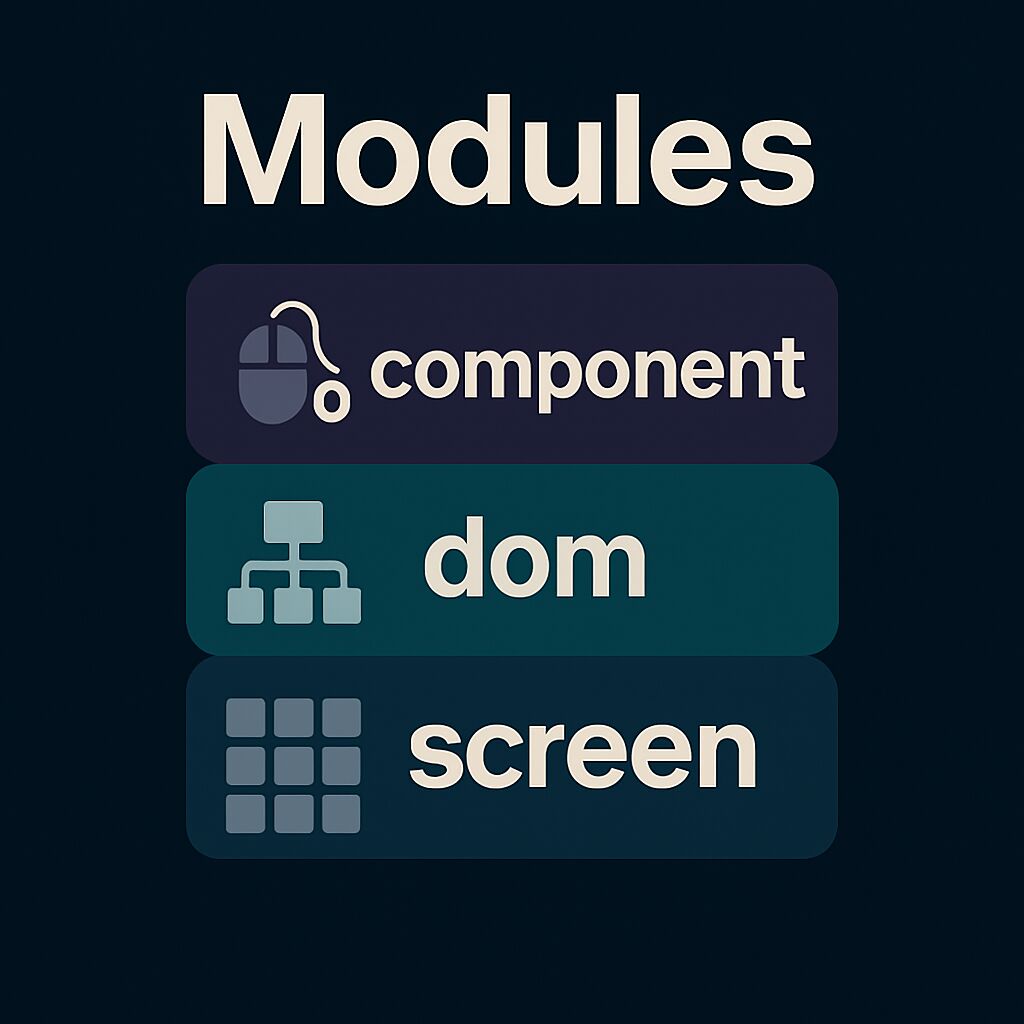
# Modules {#modules}
|
# Modules {#modules}
|
||||||
|
|
||||||
|
|
||||||
|
|
||||||
FTXUI is organized into three modules, each building upon the previous:
|
FTXUI is organized into three modules, each building upon the previous:
|
||||||
|
|
||||||
1. @subpage module-screen — low-level rendering
|
1. @subpage module-screen — low-level rendering
|
||||||
|
|||||||
Reference in New Issue
Block a user