Detailed Description
Por favor, consulta el tutorial del módulo ftxui/component
Classes | |
| class | ComponentBase |
| Implementa el renderizado de sí mismo como ftxui::Element. Implementa la navegación por teclado respondiendo a ftxui::Event. More... | |
| struct | UnderlineOption |
| Opción para el efecto de subrayado. More... | |
| struct | AnimatedColorOption |
| Opción sobre un color potencialmente animado. More... | |
| struct | MenuEntryOption |
| Opción para el componente MenuEntry. More... | |
| struct | MenuOption |
| Opción para el componente Menu. More... | |
| struct | ButtonOption |
| Opción para el componente AnimatedButton. More... | |
| struct | CheckboxOption |
| Opción para el componente Checkbox. More... | |
| struct | InputOption |
| Opción para el componente Input. More... | |
| struct | RadioboxOption |
| Opción para el componente Radiobox. More... | |
| struct | WindowRenderState |
Estado pasado a la función de renderizado del componente Window. More... | |
| struct | DropdownOption |
| Opción para el componente Dropdown.Un menú desplegable es un checkbox que abre/cierra un radiobox. More... | |
| struct | Event |
| Representa un evento. Puede ser un evento de pulsación de tecla, un redimensionamiento de terminal, o más... More... | |
| class | Loop |
| Loop es una clase que gestiona el bucle de eventos de un componente. More... | |
| struct | Mouse |
| Un evento del ratón. Contiene las coordenadas del ratón, el botón presionado y el modificador (shift, ctrl, meta). More... | |
| class | ScreenInteractive |
ScreenInteractive es una Screen que puede manejar eventos, ejecutar un bucle principal y administrar componentes. More... | |
Functions | |
| void | RequestAnimationFrame () |
| RequestAnimationFrame es una función que solicita que se dibuje un nuevo fotograma en el siguiente ciclo de animación. | |
| Component | Button (ButtonOption option) |
| Dibuja un botón. Ejecuta una función al hacer clic. | |
| Component | Button (ConstStringRef label, std::function< void()> on_click, ButtonOption option) |
| Dibuja un botón. Ejecuta una función al hacer clic. | |
| Component | CatchEvent (Component child, std::function< bool(Event event)> on_event) |
| Retorna un componente, usando |on_event| para capturar eventos. Esta función debe retornar true cuando el evento ha sido manejado, false en caso contrario. | |
| ComponentDecorator | CatchEvent (std::function< bool(Event)> on_event) |
| Decora un componente, usando |on_event| para capturar eventos. Esta función debe retornar true cuando el evento ha sido manejado, false en caso contrario. | |
| Component | Checkbox (CheckboxOption option) |
| Dibuja un elemento seleccionable. | |
| Component | Checkbox (ConstStringRef label, bool *checked, CheckboxOption option) |
| Dibuja un elemento seleccionable. | |
| Component | Vertical (Components children) |
| Una lista de componentes, dibujados uno a uno verticalmente y navegados verticalmente usando las teclas de flecha arriba/abajo o las teclas 'j'/'k'. | |
| Component | Vertical (Components children, int *selector) |
| Una lista de componentes, dibujados uno a uno verticalmente y navegados verticalmente usando las teclas de flecha arriba/abajo o las teclas 'j'/'k'. Esto es útil para implementar un Menú, por ejemplo. | |
| Component | Horizontal (Components children) |
| Una lista de componentes, dibujados uno a uno horizontalmente y navegados horizontalmente usando las teclas de flecha izquierda/derecha o las teclas 'h'/'l'. | |
| Component | Horizontal (Components children, int *selector) |
| Una lista de componentes, dibujados uno a uno horizontalmente y navegados horizontalmente usando las teclas de flecha izquierda/derecha o las teclas 'h'/'l'. | |
| Component | Tab (Components children, int *selector) |
| Una lista de componentes, donde solo uno se dibuja e interactúa a la vez. El |selector| da el índice del componente seleccionado. Esto es útil para implementar pestañas. | |
| Component | Stacked (Components children) |
| Una lista de componentes que se apilan uno encima del otro. Los eventos se propagan al primer componente, luego al segundo si no se manejan, etc. Los componentes se dibujan en el orden inverso en que se dan. Cuando un componente toma el foco, se coloca al frente, sin cambiar el orden relativo de los otros elementos. | |
| Component | Dropdown (ConstStringListRef entries, int *selected) |
| Un menú desplegable. | |
| Component | Dropdown (DropdownOption option) |
| Un menú desplegable. | |
| Component | Hoverable (Component component, bool *hover) |
| Envuelve un componente. Permite saber si el ratón lo está "hovering". | |
| Component | Hoverable (Component component, std::function< void()> on_enter, std::function< void()> on_leave) |
| Envuelve un componente. Utiliza callbacks. | |
| ComponentDecorator | Hoverable (bool *hover) |
| Envuelve un componente. Permite saber si el ratón lo está "hovering". | |
| ComponentDecorator | Hoverable (std::function< void()> on_enter, std::function< void()> on_leave) |
| Envuelve un componente. Permite saber si el ratón lo está "hovering". | |
| Component | Hoverable (Component component, std::function< void(bool)> on_change) |
| Envuelve un componente. Permite saber si el ratón lo está "hovering". | |
| ComponentDecorator | Hoverable (std::function< void(bool)> on_change) |
| Envuelve un componente. Permite saber si el ratón lo está "hovering". | |
| Component | Input (InputOption option) |
| Un cuadro de entrada para editar texto. | |
| Component | Input (StringRef content, InputOption option) |
| Un cuadro de entrada para editar texto. | |
| Component | Input (StringRef content, StringRef placeholder, InputOption option) |
| Un cuadro de entrada para editar texto. | |
| Component | Maybe (Component child, std::function< bool()> show) |
| Decora un componente |child|. Se muestra solo cuando |show| devuelve verdadero. | |
| ComponentDecorator | Maybe (std::function< bool()> show) |
| Decora un componente. Se muestra solo cuando la función |show| devuelve verdadero. | |
| Component | Maybe (Component child, const bool *show) |
| Decora un componente |child|. Se muestra solo cuando |show| es verdadero. | |
| ComponentDecorator | Maybe (const bool *show) |
| Decora un componente. Se muestra solo cuando |show| es verdadero. | |
| Component | Menu (MenuOption option) |
| Una lista de texto. El elemento enfocado es seleccionado. | |
| Component | Menu (ConstStringListRef entries, int *selected, MenuOption option) |
| Una lista de texto. El elemento enfocado es seleccionado. | |
| Component | Toggle (ConstStringListRef entries, int *selected) |
| Una lista horizontal de elementos. El usuario puede navegar a través de ellos. | |
| Component | MenuEntry (ConstStringRef label, MenuEntryOption option) |
| Una entrada de menú específica. Se pueden colocar en un Container::Vertical para formar un menú. | |
| Component | MenuEntry (MenuEntryOption option) |
| Una entrada de menú específica. Se pueden colocar en un Container::Vertical para formar un menú. | |
| Component | Modal (Component main, Component modal, const bool *show_modal) |
| ComponentDecorator | Modal (Component modal, const bool *show_modal) |
| Component | Radiobox (RadioboxOption option) |
| Una lista de elementos, donde solo uno puede ser seleccionado. | |
| Component | Radiobox (ConstStringListRef entries, int *selected, RadioboxOption option) |
| Una lista de elementos, donde solo uno puede ser seleccionado. | |
| Component | Renderer (std::function< Element()> render) |
| Retorna un componente, usando |render| para renderizar su interfaz. | |
| Component | Renderer (Component child, std::function< Element()> render) |
| Retorna un nuevo Componente, similar a |child|, pero usando |render| como el evento Component::Render(). | |
| Component | Renderer (std::function< Element(bool)> render) |
| Retorna un componente enfocable, usando |render| para renderizar su interfaz. | |
| ComponentDecorator | Renderer (ElementDecorator decorator) |
| Decora un componente, decorando lo que renderiza. | |
| Component | ResizableSplitLeft (Component main, Component back, int *main_size) |
| Una división horizontal entre dos componentes, configurable usando el ratón. | |
| Component | ResizableSplitRight (Component main, Component back, int *main_size) |
| Una división horizontal entre dos componentes, configurable usando el ratón. | |
| Component | ResizableSplitTop (Component main, Component back, int *main_size) |
| Una división vertical entre dos componentes, configurable usando el ratón. | |
| Component | ResizableSplitBottom (Component main, Component back, int *main_size) |
| Una división vertical entre dos componentes, configurable usando el ratón. | |
| Component | Slider (ConstStringRef label, Ref< int > value, ConstRef< int > min, ConstRef< int > max, ConstRef< int > increment) |
| Un deslizador horizontal. | |
| Component | Window (WindowOptions option) |
Una ventana arrastrable y redimensionable. Para usar varias, deben apilarse usando el componente Container::Stacked({...});. | |
Class Documentation
◆ ftxui::ComponentBase
| class ftxui::ComponentBase |
Implementa el renderizado de sí mismo como ftxui::Element. Implementa la navegación por teclado respondiendo a ftxui::Event.
Definition at line 30 of file component_base.hpp.
Public Member Functions | |
| ComponentBase (Components children) | |
| virtual | ~ComponentBase () |
| ComponentBase ()=default | |
| ComponentBase (const ComponentBase &)=delete | |
| ComponentBase (ComponentBase &&)=delete | |
| ComponentBase & | operator= (const ComponentBase &)=delete |
| ComponentBase & | operator= (ComponentBase &&)=delete |
| ComponentBase * | Parent () const |
| Devuelve el ComponentBase padre, o nulo si no tiene. | |
| Component & | ChildAt (size_t i) |
Accede al hijo en el índice i. | |
| size_t | ChildCount () const |
| Devuelve el número de hijos. | |
| int | Index () const |
| Devuelve el índice del componente en su padre. -1 si no tiene padre. | |
| void | Add (Component children) |
| Agrega un hijo. @param child El hijo a adjuntar. | |
| void | Detach () |
| Desvincula este hijo de su padre. | |
| void | DetachAllChildren () |
| Elimina todos los hijos. | |
| Element | Render () |
| Dibuja el componente. Construye un ftxui::Element para ser dibujado en la ftxui::Screen representando este ftxui::ComponentBase. Por favor, anule OnRender() para modificar el renderizado. | |
| virtual Element | OnRender () |
| Dibuja el componente. Construye un ftxui::Element para ser dibujado en la ftxui::Screen representando este ftxui::ComponentBase. Esta función está destinada a ser sobrescrita. | |
| virtual bool | OnEvent (Event) |
| Llamado en respuesta a un evento. | |
| virtual void | OnAnimation (animation::Params ¶ms) |
| Llamado en respuesta a un evento de animación. | |
| virtual Component | ActiveChild () |
| Devuelve el hijo actualmente activo. | |
| virtual bool | Focusable () const |
| Devuelve verdadero cuando el componente contiene elementos enfocables. Los componentes no enfocables se omitirán al navegar con el teclado. | |
| bool | Active () const |
| Devuelve si el elemento es el hijo actualmente activo de su padre. | |
| bool | Focused () const |
| Devuelve si el elemento está enfocado por el usuario. Verdadero cuando el ComponentBase está enfocado por el usuario. Un elemento está enfocado cuando es, junto con todos sus ancestros, el ActiveChild() de sus padres, y es Focusable(). | |
| virtual void | SetActiveChild (ComponentBase *child) |
| Hace que |child| sea el activo. | |
| void | SetActiveChild (Component child) |
| Hace que |child| sea el activo. | |
| void | TakeFocus () |
| Configura todos los ancestros para dar foco a este componente. | |
Protected Member Functions | |
| CapturedMouse | CaptureMouse (const Event &event) |
| Toma el CapturedMouse si está disponible. Solo hay un componente de ellos. Representa un componente que toma prioridad sobre otros. | |
Protected Attributes | |
| Components | children_ |
Constructor & Destructor Documentation
◆ ComponentBase() [1/4]
|
inlineexplicit |
Definition at line 32 of file component_base.hpp.
◆ ~ComponentBase()
|
virtual |
Definition at line 31 of file component.cpp.
◆ ComponentBase() [2/4]
|
default |
◆ ComponentBase() [3/4]
|
delete |
◆ ComponentBase() [4/4]
|
delete |
Member Function Documentation
◆ operator=() [1/2]
|
delete |
◆ operator=() [2/2]
|
delete |
◆ Parent()
| ComponentBase * Parent | ( | ) | const |
Devuelve el ComponentBase padre, o nulo si no tiene.
Definition at line 38 of file component.cpp.
◆ ChildAt()
| Component & ChildAt | ( | size_t | i | ) |
Accede al hijo en el índice i.
Definition at line 43 of file component.cpp.
◆ ChildCount()
| size_t ChildCount | ( | ) | const |
Devuelve el número de hijos.
Definition at line 49 of file component.cpp.
◆ Index()
| int Index | ( | ) | const |
Devuelve el índice del componente en su padre. -1 si no tiene padre.
Definition at line 54 of file component.cpp.
◆ Add()
| void Add | ( | Component | children | ) |
Agrega un hijo. @param child El hijo a adjuntar.
Definition at line 70 of file component.cpp.
◆ Detach()
| void Detach | ( | ) |
Desvincula este hijo de su padre.
Definition at line 79 of file component.cpp.
◆ DetachAllChildren()
| void DetachAllChildren | ( | ) |
Elimina todos los hijos.
Definition at line 94 of file component.cpp.
◆ Render()
| Element Render | ( | ) |
Dibuja el componente. Construye un ftxui::Element para ser dibujado en la ftxui::Screen representando este ftxui::ComponentBase. Por favor, anule OnRender() para modificar el renderizado.
Definition at line 103 of file component.cpp.
◆ OnRender()
|
virtual |
Dibuja el componente. Construye un ftxui::Element para ser dibujado en la ftxui::Screen representando este ftxui::ComponentBase. Esta función está destinada a ser sobrescrita.
Definition at line 138 of file component.cpp.
◆ OnEvent()
|
virtual |
Llamado en respuesta a un evento.
- Parameters
-
event El evento.
- Returns
- Verdadero cuando el evento ha sido manejado. La implementación predeterminada llama a OnEvent en cada hijo hasta que uno devuelve verdadero. Si ninguno devuelve verdadero, devuelve falso.
Definition at line 151 of file component.cpp.
◆ OnAnimation()
|
virtual |
Llamado en respuesta a un evento de animación.
- Parameters
-
params los parámetros de la animación La implementación predeterminada envía el evento a cada hijo.
Definition at line 163 of file component.cpp.
◆ ActiveChild()
|
virtual |
Devuelve el hijo actualmente activo.
- Returns
- el hijo actualmente activo.
Definition at line 171 of file component.cpp.
◆ Focusable()
|
virtual |
Devuelve verdadero cuando el componente contiene elementos enfocables. Los componentes no enfocables se omitirán al navegar con el teclado.
Definition at line 183 of file component.cpp.
◆ Active()
| bool Active | ( | ) | const |
Devuelve si el elemento es el hijo actualmente activo de su padre.
Definition at line 193 of file component.cpp.
◆ Focused()
| bool Focused | ( | ) | const |
Devuelve si el elemento está enfocado por el usuario. Verdadero cuando el ComponentBase está enfocado por el usuario. Un elemento está enfocado cuando es, junto con todos sus ancestros, el ActiveChild() de sus padres, y es Focusable().
Definition at line 201 of file component.cpp.
◆ SetActiveChild() [1/2]
|
virtual |
Hace que |child| sea el activo.
- Parameters
-
child el hijo que se activará.
Definition at line 211 of file component.cpp.
◆ SetActiveChild() [2/2]
| void SetActiveChild | ( | Component | child | ) |
Hace que |child| sea el activo.
- Parameters
-
child el hijo que se activará.
Definition at line 215 of file component.cpp.
◆ TakeFocus()
| void TakeFocus | ( | ) |
Configura todos los ancestros para dar foco a este componente.
Definition at line 220 of file component.cpp.
◆ CaptureMouse()
|
protected |
Toma el CapturedMouse si está disponible. Solo hay un componente de ellos. Representa un componente que toma prioridad sobre otros.
- Parameters
-
event El evento
Definition at line 231 of file component.cpp.
Member Data Documentation
◆ children_
|
protected |
Definition at line 96 of file component_base.hpp.
◆ ftxui::UnderlineOption
| struct ftxui::UnderlineOption |
Opción para el efecto de subrayado.
Definition at line 34 of file component_options.hpp.
Public Member Functions | |
| void | SetAnimation (animation::Duration d, animation::easing::Function f) |
| Establece cómo debe animarse el subrayado. | |
| void | SetAnimationDuration (animation::Duration d) |
| Establece cómo debe animarse el subrayado. | |
| void | SetAnimationFunction (animation::easing::Function f) |
| Establece cómo debe animarse el subrayado. | |
| void | SetAnimationFunction (animation::easing::Function f_leader, animation::easing::Function f_follower) |
| Establece cómo debe animarse el subrayado. Esto es útil para desincronizar la animación del líder y el seguidor. | |
Public Attributes | |
| bool | enabled = false |
| Color | color_active = Color::White |
| Color | color_inactive = Color::GrayDark |
| animation::easing::Function | leader_function |
| animation::easing::Function | follower_function |
| animation::Duration | leader_duration = std::chrono::milliseconds(250) |
| animation::Duration | leader_delay = std::chrono::milliseconds(0) |
| animation::Duration | follower_duration = std::chrono::milliseconds(250) |
| animation::Duration | follower_delay = std::chrono::milliseconds(0) |
Member Function Documentation
◆ SetAnimation()
| void SetAnimation | ( | animation::Duration | d, |
| animation::easing::Function | f ) |
Establece cómo debe animarse el subrayado.
- Parameters
-
d La duración de la animación. f La función de aceleración de la animación.
Definition at line 34 of file component_options.cpp.
◆ SetAnimationDuration()
| void SetAnimationDuration | ( | animation::Duration | d | ) |
Establece cómo debe animarse el subrayado.
- Parameters
-
d La duración de la animación.
Definition at line 42 of file component_options.cpp.
◆ SetAnimationFunction() [1/2]
| void SetAnimationFunction | ( | animation::easing::Function | f | ) |
Establece cómo debe animarse el subrayado.
- Parameters
-
f La función de aceleración de la animación.
Definition at line 49 of file component_options.cpp.
◆ SetAnimationFunction() [2/2]
| void SetAnimationFunction | ( | animation::easing::Function | f_leader, |
| animation::easing::Function | f_follower ) |
Establece cómo debe animarse el subrayado. Esto es útil para desincronizar la animación del líder y el seguidor.
- Parameters
-
f_leader La duración de la animación para el líder. f_follower La duración de la animación para el seguidor.
Definition at line 58 of file component_options.cpp.
Member Data Documentation
◆ enabled
| bool enabled = false |
Definition at line 35 of file component_options.hpp.
◆ color_active
| Color color_active = Color::White |
Definition at line 37 of file component_options.hpp.
◆ color_inactive
| Color color_inactive = Color::GrayDark |
Definition at line 38 of file component_options.hpp.
◆ leader_function
| animation::easing::Function leader_function |
Definition at line 40 of file component_options.hpp.
◆ follower_function
| animation::easing::Function follower_function |
Definition at line 42 of file component_options.hpp.
◆ leader_duration
| animation::Duration leader_duration = std::chrono::milliseconds(250) |
Definition at line 45 of file component_options.hpp.
◆ leader_delay
| animation::Duration leader_delay = std::chrono::milliseconds(0) |
Definition at line 46 of file component_options.hpp.
◆ follower_duration
| animation::Duration follower_duration = std::chrono::milliseconds(250) |
Definition at line 47 of file component_options.hpp.
◆ follower_delay
| animation::Duration follower_delay = std::chrono::milliseconds(0) |
Definition at line 48 of file component_options.hpp.
◆ ftxui::AnimatedColorOption
| struct ftxui::AnimatedColorOption |
Opción sobre un color potencialmente animado.
Definition at line 59 of file component_options.hpp.
Public Member Functions | |
| void | Set (Color inactive, Color active, animation::Duration duration=std::chrono::milliseconds(250), animation::easing::Function function=animation::easing::QuadraticInOut) |
| Una opción de color que puede ser animada. | |
Public Attributes | |
| bool | enabled = false |
| Color | inactive |
| Color | active |
| animation::Duration | duration = std::chrono::milliseconds(250) |
| animation::easing::Function | function = animation::easing::QuadraticInOut |
Member Function Documentation
◆ Set()
| void Set | ( | Color | _inactive, |
| Color | _active, | ||
| animation::Duration | _duration = std::chrono::milliseconds(250), | ||
| animation::easing::Function | _function = animation::easing::QuadraticInOut ) |
Una opción de color que puede ser animada.
- Parameters
-
_inactive El color cuando el componente está inactivo. _active El color cuando el componente está activo. _duration La duración de la animación. _function La función de aceleración de la animación.
Definition at line 20 of file component_options.cpp.
Member Data Documentation
◆ enabled
| bool enabled = false |
Definition at line 66 of file component_options.hpp.
◆ inactive
| Color inactive |
Definition at line 67 of file component_options.hpp.
◆ active
| Color active |
Definition at line 68 of file component_options.hpp.
◆ duration
| animation::Duration duration = std::chrono::milliseconds(250) |
Definition at line 69 of file component_options.hpp.
◆ function
| animation::easing::Function function = animation::easing::QuadraticInOut |
Definition at line 70 of file component_options.hpp.
◆ ftxui::MenuEntryOption
| struct ftxui::MenuEntryOption |
Opción para el componente MenuEntry.
Definition at line 80 of file component_options.hpp.
Public Attributes | |
| ConstStringRef | label = "MenuEntry" |
| std::function< Element(const EntryState &state)> | transform |
| AnimatedColorsOption | animated_colors |
Member Data Documentation
◆ label
| ConstStringRef label = "MenuEntry" |
Definition at line 81 of file component_options.hpp.
◆ transform
| std::function<Element(const EntryState& state)> transform |
- Examples
- examples/component/menu_entries.cpp.
Definition at line 82 of file component_options.hpp.
◆ animated_colors
| AnimatedColorsOption animated_colors |
Definition at line 83 of file component_options.hpp.
◆ ftxui::MenuOption
| struct ftxui::MenuOption |
Opción para el componente Menu.
- Examples
- examples/component/menu.cpp, and examples/component/menu2.cpp.
Definition at line 88 of file component_options.hpp.
Static Public Member Functions | |
| static MenuOption | Horizontal () |
| Opciones estándar para un menú horizontal. Esto puede ser útil para implementar una barra de pestañas. | |
| static MenuOption | HorizontalAnimated () |
| Opciones estándar para un menú horizontal animado. Esto puede ser útil para implementar una barra de pestañas. | |
| static MenuOption | Vertical () |
| Opciones estándar para un menú vertical. Esto puede ser útil para implementar una lista de elementos seleccionables. | |
| static MenuOption | VerticalAnimated () |
| Opciones estándar para un menú vertical animado. Esto puede ser útil para implementar una lista de elementos seleccionables. | |
| static MenuOption | Toggle () |
| Opciones estándar para un menú horizontal con un separador. Esto puede ser útil para implementar una barra de pestañas. | |
Public Attributes | |
| ConstStringListRef | entries |
| Ref< int > | selected = 0 |
| UnderlineOption | underline |
| MenuEntryOption | entries_option |
| Direction | direction = Direction::Down |
| std::function< Element()> | elements_prefix |
| std::function< Element()> | elements_infix |
| std::function< Element()> | elements_postfix |
| std::function< void()> | on_change |
| std::function< void()> | on_enter |
| Ref< int > | focused_entry = 0 |
Member Function Documentation
◆ Horizontal()
|
static |
Opciones estándar para un menú horizontal. Esto puede ser útil para implementar una barra de pestañas.
Definition at line 68 of file component_options.cpp.
◆ HorizontalAnimated()
|
static |
Opciones estándar para un menú horizontal animado. Esto puede ser útil para implementar una barra de pestañas.
Definition at line 92 of file component_options.cpp.
◆ Vertical()
|
static |
Opciones estándar para un menú vertical. Esto puede ser útil para implementar una lista de elementos seleccionables.
Definition at line 101 of file component_options.cpp.
◆ VerticalAnimated()
|
static |
Opciones estándar para un menú vertical animado. Esto puede ser útil para implementar una lista de elementos seleccionables.
Definition at line 122 of file component_options.cpp.
◆ Toggle()
|
static |
Opciones estándar para un menú horizontal con un separador. Esto puede ser útil para implementar una barra de pestañas.
Definition at line 144 of file component_options.cpp.
Member Data Documentation
◆ entries
| ConstStringListRef entries |
Definition at line 96 of file component_options.hpp.
◆ selected
| Ref<int> selected = 0 |
La lista de entradas.
Definition at line 97 of file component_options.hpp.
◆ underline
| UnderlineOption underline |
El índice de la entrada seleccionada.
Definition at line 100 of file component_options.hpp.
◆ entries_option
| MenuEntryOption entries_option |
Definition at line 101 of file component_options.hpp.
◆ direction
| Direction direction = Direction::Down |
Definition at line 102 of file component_options.hpp.
◆ elements_prefix
| std::function<Element()> elements_prefix |
Definition at line 103 of file component_options.hpp.
◆ elements_infix
| std::function<Element()> elements_infix |
Definition at line 104 of file component_options.hpp.
◆ elements_postfix
| std::function<Element()> elements_postfix |
Definition at line 105 of file component_options.hpp.
◆ on_change
| std::function<void()> on_change |
Definition at line 108 of file component_options.hpp.
◆ on_enter
| std::function<void()> on_enter |
Llamado cuando la entrada seleccionada cambia.
- Examples
- examples/component/menu.cpp.
Definition at line 109 of file component_options.hpp.
◆ focused_entry
| Ref<int> focused_entry = 0 |
Llamado cuando el usuario presiona enter.
Definition at line 110 of file component_options.hpp.
◆ ftxui::ButtonOption
| struct ftxui::ButtonOption |
Opción para el componente AnimatedButton.
- Examples
- examples/component/button.cpp.
Definition at line 115 of file component_options.hpp.
Static Public Member Functions | |
| static ButtonOption | Ascii () |
| Crea una ButtonOption, resaltada usando los caracteres []. | |
| static ButtonOption | Simple () |
| Crea una ButtonOption, invertida cuando está enfocada. | |
| static ButtonOption | Border () |
| Crea una ButtonOption. El botón se muestra usando un borde, invertido cuando está enfocado. Este es el valor predeterminado actual. | |
| static ButtonOption | Animated () |
| static ButtonOption | Animated (Color color) |
| Crea una ButtonOption, usando colores animados. | |
| static ButtonOption | Animated (Color background, Color foreground) |
| Crea una ButtonOption, usando colores animados. | |
| static ButtonOption | Animated (Color background, Color foreground, Color background_active, Color foreground_active) |
| Crea una ButtonOption, usando colores animados. | |
Public Attributes | |
| ConstStringRef | label = "Button" |
| std::function< void()> | on_click = [] {} |
| std::function< Element(const EntryState &)> | transform |
| AnimatedColorsOption | animated_colors |
Member Function Documentation
◆ Ascii()
|
static |
Crea una ButtonOption, resaltada usando los caracteres [].
Definition at line 152 of file component_options.cpp.
◆ Simple()
|
static |
Crea una ButtonOption, invertida cuando está enfocada.
Definition at line 164 of file component_options.cpp.
◆ Border()
|
static |
Crea una ButtonOption. El botón se muestra usando un borde, invertido cuando está enfocado. Este es el valor predeterminado actual.
Definition at line 178 of file component_options.cpp.
◆ Animated() [1/4]
|
static |
◆ Animated() [2/4]
|
static |
Crea una ButtonOption, usando colores animados.
Definition at line 200 of file component_options.cpp.
◆ Animated() [3/4]
|
static |
Crea una ButtonOption, usando colores animados.
Definition at line 210 of file component_options.cpp.
◆ Animated() [4/4]
|
static |
Crea una ButtonOption, usando colores animados.
Definition at line 222 of file component_options.cpp.
Member Data Documentation
◆ label
| ConstStringRef label = "Button" |
Definition at line 128 of file component_options.hpp.
◆ on_click
| std::function<void()> on_click = [] {} |
Definition at line 129 of file component_options.hpp.
◆ transform
| std::function<Element(const EntryState&)> transform |
Definition at line 132 of file component_options.hpp.
◆ animated_colors
| AnimatedColorsOption animated_colors |
Definition at line 133 of file component_options.hpp.
◆ ftxui::CheckboxOption
| struct ftxui::CheckboxOption |
Opción para el componente Checkbox.
Definition at line 138 of file component_options.hpp.
Static Public Member Functions | |
| static CheckboxOption | Simple () |
| Opción para Checkbox estándar. | |
Public Attributes | |
| ConstStringRef | label = "Checkbox" |
| Ref< bool > | checked = false |
| std::function< Element(const EntryState &)> | transform |
| std::function< void()> | on_change = [] {} |
| Llamado cuando el usuario cambia el estado. | |
Member Function Documentation
◆ Simple()
|
static |
Opción para Checkbox estándar.
Definition at line 241 of file component_options.cpp.
Member Data Documentation
◆ label
| ConstStringRef label = "Checkbox" |
Definition at line 142 of file component_options.hpp.
◆ checked
| Ref<bool> checked = false |
Definition at line 144 of file component_options.hpp.
◆ transform
| std::function<Element(const EntryState&)> transform |
Definition at line 147 of file component_options.hpp.
◆ on_change
| std::function<void()> on_change = [] {} |
Llamado cuando el usuario cambia el estado.
Definition at line 151 of file component_options.hpp.
◆ ftxui::InputOption
| struct ftxui::InputOption |
Opción para el componente Input.
- Examples
- examples/component/homescreen.cpp, examples/component/input.cpp, and examples/component/input_style.cpp.
Definition at line 165 of file component_options.hpp.
Static Public Member Functions | |
| static InputOption | Default () |
| Crea el estilo de entrada predeterminado: | |
| static InputOption | Spacious () |
| Un estilo blanco sobre negro con márgenes altos: | |
Public Attributes | |
| StringRef | content = "" |
| El contenido del input. | |
| StringRef | placeholder = "" |
| El contenido del input cuando está vacío. | |
| std::function< Element(InputState)> | transform |
| Ref< bool > | password = false |
| Oscurece el contenido del input usando '*'. | |
| Ref< bool > | multiline = true |
| Si el input puede ser multilínea. | |
| Ref< bool > | insert = true |
| Modo de inserción o sobrescritura de caracteres. | |
| std::function< void()> | on_change = [] {} |
| Llamado cuando el contenido cambia. | |
| std::function< void()> | on_enter = [] {} |
| Llamado cuando el usuario presiona enter. | |
| Ref< int > | cursor_position = 0 |
Member Function Documentation
◆ Default()
|
static |
Crea el estilo de entrada predeterminado:
Opciones estándar para el componente de entrada.
Definition at line 289 of file component_options.cpp.
◆ Spacious()
|
static |
Un estilo blanco sobre negro con márgenes altos:
Opciones estándar para un componente de entrada más bonito.
Definition at line 311 of file component_options.cpp.
Member Data Documentation
◆ content
| StringRef content = "" |
El contenido del input.
Definition at line 174 of file component_options.hpp.
◆ placeholder
| StringRef placeholder = "" |
El contenido del input cuando está vacío.
Definition at line 177 of file component_options.hpp.
◆ transform
| std::function<Element(InputState)> transform |
- Examples
- examples/component/input_style.cpp.
Definition at line 180 of file component_options.hpp.
◆ password
| Ref<bool> password = false |
Oscurece el contenido del input usando '*'.
- Examples
- examples/component/input.cpp.
Definition at line 181 of file component_options.hpp.
◆ multiline
| Ref<bool> multiline = true |
Si el input puede ser multilínea.
Definition at line 182 of file component_options.hpp.
◆ insert
| Ref<bool> insert = true |
Modo de inserción o sobrescritura de caracteres.
Definition at line 183 of file component_options.hpp.
◆ on_change
| std::function<void()> on_change = [] {} |
Llamado cuando el contenido cambia.
Definition at line 186 of file component_options.hpp.
◆ on_enter
| std::function<void()> on_enter = [] {} |
Llamado cuando el usuario presiona enter.
Definition at line 188 of file component_options.hpp.
◆ cursor_position
| Ref<int> cursor_position = 0 |
Definition at line 191 of file component_options.hpp.
◆ ftxui::RadioboxOption
| struct ftxui::RadioboxOption |
Opción para el componente Radiobox.
Definition at line 196 of file component_options.hpp.
Static Public Member Functions | |
| static RadioboxOption | Simple () |
| Opción para Radiobox estándar. | |
Public Attributes | |
| ConstStringListRef | entries |
| Ref< int > | selected = 0 |
| std::function< Element(const EntryState &)> | transform |
| std::function< void()> | on_change = [] {} |
| Llamado cuando la entrada seleccionada cambia. | |
| Ref< int > | focused_entry = 0 |
Member Function Documentation
◆ Simple()
|
static |
Opción para Radiobox estándar.
Definition at line 265 of file component_options.cpp.
Member Data Documentation
◆ entries
| ConstStringListRef entries |
Definition at line 201 of file component_options.hpp.
◆ selected
| Ref<int> selected = 0 |
Definition at line 202 of file component_options.hpp.
◆ transform
| std::function<Element(const EntryState&)> transform |
Definition at line 205 of file component_options.hpp.
◆ on_change
| std::function<void()> on_change = [] {} |
Llamado cuando la entrada seleccionada cambia.
Definition at line 209 of file component_options.hpp.
◆ focused_entry
| Ref<int> focused_entry = 0 |
Definition at line 210 of file component_options.hpp.
◆ ftxui::WindowRenderState
| struct ftxui::WindowRenderState |
Estado pasado a la función de renderizado del componente Window.
Definition at line 243 of file component_options.hpp.
Public Attributes | |
| Element | inner |
| El elemento envuelto dentro de esta ventana. | |
| const std::string & | title |
| El título de la ventana. | |
| bool | active = false |
| Si la ventana es la activa. | |
| bool | drag = false |
| Si la ventana está siendo arrastrada. | |
| bool | resize = false |
| Si la ventana está siendo redimensionada. | |
| bool | hover_left = false |
| Si el lado izquierdo redimensionable está siendo "hovered". | |
| bool | hover_right = false |
| Si el lado derecho redimensionable está siendo "hovered". | |
| bool | hover_top = false |
| Si el lado superior redimensionable está siendo "hovered". | |
| bool | hover_down = false |
| Si el lado inferior redimensionable está siendo "hovered". | |
Member Data Documentation
◆ inner
| Element inner |
El elemento envuelto dentro de esta ventana.
Definition at line 244 of file component_options.hpp.
◆ title
| const std::string& title |
El título de la ventana.
Definition at line 245 of file component_options.hpp.
◆ active
| bool active = false |
Si la ventana es la activa.
Definition at line 246 of file component_options.hpp.
◆ drag
| bool drag = false |
Si la ventana está siendo arrastrada.
Definition at line 247 of file component_options.hpp.
◆ resize
| bool resize = false |
Si la ventana está siendo redimensionada.
Definition at line 248 of file component_options.hpp.
◆ hover_left
| bool hover_left = false |
Si el lado izquierdo redimensionable está siendo "hovered".
Definition at line 249 of file component_options.hpp.
◆ hover_right
| bool hover_right = false |
Si el lado derecho redimensionable está siendo "hovered".
Definition at line 250 of file component_options.hpp.
◆ hover_top
| bool hover_top = false |
Si el lado superior redimensionable está siendo "hovered".
Definition at line 251 of file component_options.hpp.
◆ hover_down
| bool hover_down = false |
Si el lado inferior redimensionable está siendo "hovered".
Definition at line 252 of file component_options.hpp.
◆ ftxui::DropdownOption
| struct ftxui::DropdownOption |
Opción para el componente Dropdown.
Un menú desplegable es un checkbox que abre/cierra un radiobox.
Definition at line 278 of file component_options.hpp.
Public Attributes | |
| Ref< bool > | open = false |
| Si el desplegable está abierto o cerrado: | |
| CheckboxOption | checkbox |
| RadioboxOption | radiobox |
| std::function< Element(bool open, Element checkbox, Element radiobox)> | transform |
Member Data Documentation
◆ open
| Ref<bool> open = false |
Si el desplegable está abierto o cerrado:
Definition at line 280 of file component_options.hpp.
◆ checkbox
| CheckboxOption checkbox |
Definition at line 282 of file component_options.hpp.
◆ radiobox
| RadioboxOption radiobox |
Definition at line 284 of file component_options.hpp.
◆ transform
◆ ftxui::Event
| struct ftxui::Event |
Representa un evento. Puede ser un evento de pulsación de tecla, un redimensionamiento de terminal, o más...
Por ejemplo:
- Los caracteres imprimibles se pueden crear usando Event::Character('a').
- Algunos especiales están predefinidos, como Event::ArrowLeft.
- Se puede encontrar un código arbitrario para eventos especiales usando: ./example/util/print_key_press Por ejemplo, CTRL+A se mapea a Event::Special({1});
Documentación útil sobre la especificación de xterm: https://invisible-island.net/xterm/ctlseqs/ctlseqs.html
Public Member Functions | |
| bool | operator== (const Event &other) const |
| bool | operator!= (const Event &other) const |
| bool | operator< (const Event &other) const |
| const std::string & | input () const |
| bool | is_character () const |
| std::string | character () const |
| bool | is_mouse () const |
| struct Mouse & | mouse () |
| bool | is_cursor_position () const |
| int | cursor_x () const |
| int | cursor_y () const |
| bool | is_cursor_shape () const |
| int | cursor_shape () const |
| std::string | DebugString () const |
| Devuelve una representación en cadena del evento. | |
Static Public Member Functions | |
| static Event | Character (std::string) |
| Un evento correspondiente a un carácter escrito. | |
| static Event | Character (char) |
| Un evento correspondiente a un carácter escrito. | |
| static Event | Character (wchar_t) |
| Un evento correspondiente a un carácter escrito. | |
| static Event | Special (std::string) |
| Un evento personalizado cuyo significado es definido por el usuario de la biblioteca. | |
| static Event | Mouse (std::string, Mouse mouse) |
| Un evento correspondiente a un carácter escrito. | |
| static Event | CursorPosition (std::string, int x, int y) |
| static Event | CursorShape (std::string, int shape) |
| Un evento correspondiente a una cadena de control de dispositivo (DCS) de terminal. | |
Public Attributes | |
| ScreenInteractive * | screen_ = nullptr |
Static Public Attributes | |
| static const Event | ArrowLeft = Event::Special("\x1B[D") |
| static const Event | ArrowRight = Event::Special("\x1B[C") |
| static const Event | ArrowUp = Event::Special("\x1B[A") |
| static const Event | ArrowDown = Event::Special("\x1B[B") |
| static const Event | ArrowLeftCtrl = Event::Special("\x1B[1;5D") |
| static const Event | ArrowRightCtrl = Event::Special("\x1B[1;5C") |
| static const Event | ArrowUpCtrl = Event::Special("\x1B[1;5A") |
| static const Event | ArrowDownCtrl = Event::Special("\x1B[1;5B") |
| static const Event | Backspace = Event::Special({127}) |
| static const Event | Delete = Event::Special("\x1B[3~") |
| static const Event | Return = Event::Special({10}) |
| static const Event | Escape = Event::Special("\x1B") |
| static const Event | Tab = Event::Special({9}) |
| static const Event | TabReverse = Event::Special({27, 91, 90}) |
| static const Event | Insert = Event::Special("\x1B[2~") |
| static const Event | Home = Event::Special({27, 91, 72}) |
| static const Event | End = Event::Special({27, 91, 70}) |
| static const Event | PageUp = Event::Special({27, 91, 53, 126}) |
| static const Event | PageDown = Event::Special({27, 91, 54, 126}) |
| static const Event | F1 = Event::Special("\x1BOP") |
| static const Event | F2 = Event::Special("\x1BOQ") |
| static const Event | F3 = Event::Special("\x1BOR") |
| static const Event | F4 = Event::Special("\x1BOS") |
| static const Event | F5 = Event::Special("\x1B[15~") |
| static const Event | F6 = Event::Special("\x1B[17~") |
| static const Event | F7 = Event::Special("\x1B[18~") |
| static const Event | F8 = Event::Special("\x1B[19~") |
| static const Event | F9 = Event::Special("\x1B[20~") |
| static const Event | F10 = Event::Special("\x1B[21~") |
| static const Event | F11 = Event::Special("\x1B[23~") |
| static const Event | F12 = Event::Special("\x1B[24~") |
| static const Event | a = Event::Character("a") |
| static const Event | A = Event::Character("A") |
| static const Event | CtrlA = Event::Special("\x01") |
| static const Event | AltA = Event::Special("\x1b""a") |
| static const Event | CtrlAltA = Event::Special("\x1b\x01") |
| static const Event | b = Event::Character("b") |
| static const Event | B = Event::Character("B") |
| static const Event | CtrlB = Event::Special("\x02") |
| static const Event | AltB = Event::Special("\x1b""b") |
| static const Event | CtrlAltB = Event::Special("\x1b\x02") |
| static const Event | c = Event::Character("c") |
| static const Event | C = Event::Character("C") |
| static const Event | CtrlC = Event::Special("\x03") |
| static const Event | AltC = Event::Special("\x1b""c") |
| static const Event | CtrlAltC = Event::Special("\x1b\x03") |
| static const Event | d = Event::Character("d") |
| static const Event | D = Event::Character("D") |
| static const Event | CtrlD = Event::Special("\x04") |
| static const Event | AltD = Event::Special("\x1b""d") |
| static const Event | CtrlAltD = Event::Special("\x1b\x04") |
| static const Event | e = Event::Character("e") |
| static const Event | E = Event::Character("E") |
| static const Event | CtrlE = Event::Special("\x05") |
| static const Event | AltE = Event::Special("\x1b""e") |
| static const Event | CtrlAltE = Event::Special("\x1b\x05") |
| static const Event | f = Event::Character("f") |
| static const Event | F = Event::Character("F") |
| static const Event | CtrlF = Event::Special("\x06") |
| static const Event | AltF = Event::Special("\x1b""f") |
| static const Event | CtrlAltF = Event::Special("\x1b\x06") |
| static const Event | g = Event::Character("g") |
| static const Event | G = Event::Character("G") |
| static const Event | CtrlG = Event::Special("\x07") |
| static const Event | AltG = Event::Special("\x1b""g") |
| static const Event | CtrlAltG = Event::Special("\x1b\x07") |
| static const Event | h = Event::Character("h") |
| static const Event | H = Event::Character("H") |
| static const Event | CtrlH = Event::Special("\x08") |
| static const Event | AltH = Event::Special("\x1b""h") |
| static const Event | CtrlAltH = Event::Special("\x1b\x08") |
| static const Event | i = Event::Character("i") |
| static const Event | I = Event::Character("I") |
| static const Event | CtrlI = Event::Special("\x09") |
| static const Event | AltI = Event::Special("\x1b""i") |
| static const Event | CtrlAltI = Event::Special("\x1b\x09") |
| static const Event | j = Event::Character("j") |
| static const Event | J = Event::Character("J") |
| static const Event | CtrlJ = Event::Special("\x0a") |
| static const Event | AltJ = Event::Special("\x1b""j") |
| static const Event | CtrlAltJ = Event::Special("\x1b\x0a") |
| static const Event | k = Event::Character("k") |
| static const Event | K = Event::Character("K") |
| static const Event | CtrlK = Event::Special("\x0b") |
| static const Event | AltK = Event::Special("\x1b""k") |
| static const Event | CtrlAltK = Event::Special("\x1b\x0b") |
| static const Event | l = Event::Character("l") |
| static const Event | L = Event::Character("L") |
| static const Event | CtrlL = Event::Special("\x0c") |
| static const Event | AltL = Event::Special("\x1b""l") |
| static const Event | CtrlAltL = Event::Special("\x1b\x0c") |
| static const Event | m = Event::Character("m") |
| static const Event | M = Event::Character("M") |
| static const Event | CtrlM = Event::Special("\x0d") |
| static const Event | AltM = Event::Special("\x1b""m") |
| static const Event | CtrlAltM = Event::Special("\x1b\x0d") |
| static const Event | n = Event::Character("n") |
| static const Event | N = Event::Character("N") |
| static const Event | CtrlN = Event::Special("\x0e") |
| static const Event | AltN = Event::Special("\x1b""n") |
| static const Event | CtrlAltN = Event::Special("\x1b\x0e") |
| static const Event | o = Event::Character("o") |
| static const Event | O = Event::Character("O") |
| static const Event | CtrlO = Event::Special("\x0f") |
| static const Event | AltO = Event::Special("\x1b""o") |
| static const Event | CtrlAltO = Event::Special("\x1b\x0f") |
| static const Event | p = Event::Character("p") |
| static const Event | P = Event::Character("P") |
| static const Event | CtrlP = Event::Special("\x10") |
| static const Event | AltP = Event::Special("\x1b""p") |
| static const Event | CtrlAltP = Event::Special("\x1b\x10") |
| static const Event | q = Event::Character("q") |
| static const Event | Q = Event::Character("Q") |
| static const Event | CtrlQ = Event::Special("\x11") |
| static const Event | AltQ = Event::Special("\x1b""q") |
| static const Event | CtrlAltQ = Event::Special("\x1b\x11") |
| static const Event | r = Event::Character("r") |
| static const Event | R = Event::Character("R") |
| static const Event | CtrlR = Event::Special("\x12") |
| static const Event | AltR = Event::Special("\x1b""r") |
| static const Event | CtrlAltR = Event::Special("\x1b\x12") |
| static const Event | s = Event::Character("s") |
| static const Event | S = Event::Character("S") |
| static const Event | CtrlS = Event::Special("\x13") |
| static const Event | AltS = Event::Special("\x1b""s") |
| static const Event | CtrlAltS = Event::Special("\x1b\x13") |
| static const Event | t = Event::Character("t") |
| static const Event | T = Event::Character("T") |
| static const Event | CtrlT = Event::Special("\x14") |
| static const Event | AltT = Event::Special("\x1b""t") |
| static const Event | CtrlAltT = Event::Special("\x1b\x14") |
| static const Event | u = Event::Character("u") |
| static const Event | U = Event::Character("U") |
| static const Event | CtrlU = Event::Special("\x15") |
| static const Event | AltU = Event::Special("\x1b""u") |
| static const Event | CtrlAltU = Event::Special("\x1b\x15") |
| static const Event | v = Event::Character("v") |
| static const Event | V = Event::Character("V") |
| static const Event | CtrlV = Event::Special("\x16") |
| static const Event | AltV = Event::Special("\x1b""v") |
| static const Event | CtrlAltV = Event::Special("\x1b\x16") |
| static const Event | w = Event::Character("w") |
| static const Event | W = Event::Character("W") |
| static const Event | CtrlW = Event::Special("\x17") |
| static const Event | AltW = Event::Special("\x1b""w") |
| static const Event | CtrlAltW = Event::Special("\x1b\x17") |
| static const Event | x = Event::Character("x") |
| static const Event | X = Event::Character("X") |
| static const Event | CtrlX = Event::Special("\x18") |
| static const Event | AltX = Event::Special("\x1b""x") |
| static const Event | CtrlAltX = Event::Special("\x1b\x18") |
| static const Event | y = Event::Character("y") |
| static const Event | Y = Event::Character("Y") |
| static const Event | CtrlY = Event::Special("\x19") |
| static const Event | AltY = Event::Special("\x1b""y") |
| static const Event | CtrlAltY = Event::Special("\x1b\x19") |
| static const Event | z = Event::Character("z") |
| static const Event | Z = Event::Character("Z") |
| static const Event | CtrlZ = Event::Special("\x1a") |
| static const Event | AltZ = Event::Special("\x1b""z") |
| static const Event | CtrlAltZ = Event::Special("\x1b\x1a") |
| static const Event | Custom = Event::Special({0}) |
Member Function Documentation
◆ Character() [1/3]
|
static |
◆ Character() [2/3]
|
static |
◆ Character() [3/3]
|
static |
◆ Special()
|
static |
◆ Mouse()
◆ CursorPosition()
|
static |
◆ CursorShape()
|
static |
◆ operator==()
◆ operator!=()
◆ operator<()
◆ input()
|
inline |
◆ is_character()
◆ character()
|
inline |
- Examples
- examples/component/input.cpp.
◆ is_mouse()
|
inline |
◆ mouse()
◆ is_cursor_position()
◆ cursor_x()
◆ cursor_y()
◆ is_cursor_shape()
◆ cursor_shape()
◆ DebugString()
| std::string DebugString | ( | ) | const |
Member Data Documentation
◆ ArrowLeft
|
static |
◆ ArrowRight
|
static |
◆ ArrowUp
|
static |
◆ ArrowDown
|
static |
◆ ArrowLeftCtrl
|
static |
◆ ArrowRightCtrl
|
static |
◆ ArrowUpCtrl
|
static |
◆ ArrowDownCtrl
|
static |
◆ Backspace
|
static |
◆ Delete
|
static |
◆ Return
|
static |
◆ Escape
|
static |
◆ Tab
|
static |
◆ TabReverse
|
static |
◆ Insert
|
static |
◆ Home
|
static |
◆ End
|
static |
◆ PageUp
|
static |
◆ PageDown
|
static |
◆ F1
|
static |
◆ F2
|
static |
◆ F3
|
static |
◆ F4
|
static |
◆ F5
|
static |
◆ F6
|
static |
◆ F7
|
static |
◆ F8
|
static |
◆ F9
|
static |
◆ F10
|
static |
◆ F11
|
static |
◆ F12
|
static |
◆ a
|
static |
◆ A
|
static |
◆ CtrlA
|
static |
◆ AltA
|
static |
◆ CtrlAltA
|
static |
◆ b
|
static |
◆ B
|
static |
◆ CtrlB
|
static |
◆ AltB
|
static |
◆ CtrlAltB
|
static |
◆ c
|
static |
◆ C
|
static |
◆ CtrlC
|
static |
◆ AltC
|
static |
◆ CtrlAltC
|
static |
◆ d
|
static |
◆ D
|
static |
◆ CtrlD
|
static |
◆ AltD
|
static |
◆ CtrlAltD
|
static |
◆ e
|
static |
◆ E
|
static |
◆ CtrlE
|
static |
◆ AltE
|
static |
◆ CtrlAltE
|
static |
◆ f
|
static |
◆ F
|
static |
◆ CtrlF
|
static |
◆ AltF
|
static |
◆ CtrlAltF
|
static |
◆ g
|
static |
◆ G
|
static |
◆ CtrlG
|
static |
◆ AltG
|
static |
◆ CtrlAltG
|
static |
◆ h
|
static |
◆ H
|
static |
◆ CtrlH
|
static |
◆ AltH
|
static |
◆ CtrlAltH
|
static |
◆ i
|
static |
◆ I
|
static |
◆ CtrlI
|
static |
◆ AltI
|
static |
◆ CtrlAltI
|
static |
◆ j
|
static |
◆ J
|
static |
◆ CtrlJ
|
static |
◆ AltJ
|
static |
◆ CtrlAltJ
|
static |
◆ k
|
static |
◆ K
|
static |
◆ CtrlK
|
static |
◆ AltK
|
static |
◆ CtrlAltK
|
static |
◆ l
|
static |
◆ L
|
static |
◆ CtrlL
|
static |
◆ AltL
|
static |
◆ CtrlAltL
|
static |
◆ m
|
static |
◆ M
|
static |
◆ CtrlM
|
static |
◆ AltM
|
static |
◆ CtrlAltM
|
static |
◆ n
|
static |
◆ N
|
static |
◆ CtrlN
|
static |
◆ AltN
|
static |
◆ CtrlAltN
|
static |
◆ o
|
static |
◆ O
|
static |
◆ CtrlO
|
static |
◆ AltO
|
static |
◆ CtrlAltO
|
static |
◆ p
|
static |
◆ P
|
static |
◆ CtrlP
|
static |
◆ AltP
|
static |
◆ CtrlAltP
|
static |
◆ q
|
static |
◆ Q
|
static |
◆ CtrlQ
|
static |
◆ AltQ
|
static |
◆ CtrlAltQ
|
static |
◆ r
|
static |
◆ R
|
static |
◆ CtrlR
|
static |
◆ AltR
|
static |
◆ CtrlAltR
|
static |
◆ s
|
static |
◆ S
|
static |
◆ CtrlS
|
static |
◆ AltS
|
static |
◆ CtrlAltS
|
static |
◆ t
|
static |
◆ T
|
static |
◆ CtrlT
|
static |
◆ AltT
|
static |
◆ CtrlAltT
|
static |
◆ u
|
static |
◆ U
|
static |
◆ CtrlU
|
static |
◆ AltU
|
static |
◆ CtrlAltU
|
static |
◆ v
|
static |
◆ V
|
static |
◆ CtrlV
|
static |
◆ AltV
|
static |
◆ CtrlAltV
|
static |
◆ w
|
static |
◆ W
|
static |
◆ CtrlW
|
static |
◆ AltW
|
static |
◆ CtrlAltW
|
static |
◆ x
|
static |
◆ X
|
static |
◆ CtrlX
|
static |
◆ AltX
|
static |
◆ CtrlAltX
|
static |
◆ y
|
static |
◆ Y
|
static |
◆ CtrlY
|
static |
◆ AltY
|
static |
◆ CtrlAltY
|
static |
◆ z
|
static |
◆ Z
|
static |
◆ CtrlZ
|
static |
◆ AltZ
|
static |
◆ CtrlAltZ
|
static |
◆ Custom
|
static |
◆ screen_
| ScreenInteractive* screen_ = nullptr |
◆ mouse
| struct Mouse mouse |
◆ cursor
◆ cursor_shape
◆ ftxui::Loop
| class ftxui::Loop |
Loop es una clase que gestiona el bucle de eventos de un componente.
Es responsable de ejecutar el componente, manejar los eventos y actualizar la pantalla.
La clase Loop está diseñada para ser utilizada con un objeto ScreenInteractive, que representa la pantalla del terminal.
Ejemplo
Public Member Functions | |
| Loop (ScreenInteractive *screen, Component component) | |
| Un Loop es un envoltorio alrededor de un Component y un ScreenInteractive. Se utiliza para ejecutar un Component en un terminal. | |
| ~Loop () | |
| bool | HasQuitted () |
| Indica si el bucle ha terminado. | |
| void | RunOnce () |
Ejecuta el bucle una vez. Hace que el component procese todas las tareas/eventos pendientes. Un nuevo fotograma podría dibujarse si el anterior fue invalidado. Devuelve true hasta que el bucle no haya terminado. | |
| void | RunOnceBlocking () |
Espera a que se maneje al menos un evento y ejecuta Loop::RunOnce(). | |
| void | Run () |
| Loop (const Loop &)=default | |
| Loop (Loop &&)=delete | |
| Loop & | operator= (Loop &&)=delete |
| Loop (const ScreenInteractive &)=delete | |
| Loop & | operator= (const Loop &)=delete |
Constructor & Destructor Documentation
◆ Loop() [1/4]
| Loop | ( | ScreenInteractive * | screen, |
| Component | component ) |
Un Loop es un envoltorio alrededor de un Component y un ScreenInteractive. Se utiliza para ejecutar un Component en un terminal.
- See also
- Component, ScreenInteractive.
- ScreenInteractive::Loop().
- ScreenInteractive::ExitLoop().
- Parameters
-
[in] screen La pantalla a utilizar. [in] component El componente a ejecutar.
◆ ~Loop()
◆ Loop() [2/4]
◆ Loop() [3/4]
◆ Loop() [4/4]
|
delete |
Member Function Documentation
◆ HasQuitted()
◆ RunOnce()
| void RunOnce | ( | ) |
◆ RunOnceBlocking()
| void RunOnceBlocking | ( | ) |
Espera a que se maneje al menos un evento y ejecuta Loop::RunOnce().
◆ Run()
| void Run | ( | ) |
◆ operator=() [1/2]
◆ operator=() [2/2]
◆ ftxui::Mouse
| struct ftxui::Mouse |
Un evento del ratón. Contiene las coordenadas del ratón, el botón presionado y el modificador (shift, ctrl, meta).
Public Types | |
| enum | Button { Left = 0 , Middle = 1 , Right = 2 , None = 3 , WheelUp = 4 , WheelDown = 5 , WheelLeft = 6 , WheelRight = 7 } |
| enum | Motion { Released = 0 , Pressed = 1 , Moved = 2 } |
Public Attributes | |
| Button | button = Button::None |
| Motion | motion = Motion::Pressed |
| bool | shift = false |
| bool | meta = false |
| bool | control = false |
| int | x = 0 |
| int | y = 0 |
Member Enumeration Documentation
◆ Button
| enum Button |
◆ Motion
Member Data Documentation
◆ button
| Button button = Button::None |
◆ motion
| Motion motion = Motion::Pressed |
◆ shift
◆ meta
◆ control
◆ x
◆ y
◆ ftxui::ScreenInteractive
| class ftxui::ScreenInteractive |
ScreenInteractive es una Screen que puede manejar eventos, ejecutar un bucle principal y administrar componentes.
Definition at line 35 of file screen_interactive.hpp.
 Inheritance diagram for ScreenInteractive: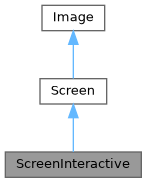
Public Types | |
| using | SelectionStyle = std::function<void(Pixel&)> |
Public Member Functions | |
| ~ScreenInteractive () override | |
| void | TrackMouse (bool enable=true) |
Establece si el ratón es rastreado y se informan los eventos. se llama fuera del bucle principal. Por ejemplo, ScreenInteractive::Loop(...). | |
| void | HandlePipedInput (bool enable=true) |
| Habilita o deshabilita el manejo automático de entrada por tubería. Cuando está habilitado, FTXUI detectará la entrada por tubería y redirigirá stdin desde /dev/tty para la entrada de teclado, permitiendo que las aplicaciones lean datos canalizados mientras siguen recibiendo eventos interactivos de teclado. | |
| void | Loop (Component) |
| Ejecuta el bucle principal. | |
| void | Exit () |
| Sale del bucle principal. | |
| Closure | ExitLoopClosure () |
| Devuelve una función para salir del bucle principal. | |
| void | Post (Task task) |
| Añade una tarea al bucle principal. Se ejecutará más tarde, después de todas las demás tareas programadas. | |
| void | PostEvent (Event event) |
| Añade un evento al bucle principal. Se ejecutará más tarde, después de todos los demás eventos programados. | |
| void | RequestAnimationFrame () |
| Añade una tarea para dibujar la pantalla una vez más, hasta que todas las animaciones hayan terminado. | |
| CapturedMouse | CaptureMouse () |
| Intenta obtener el bloqueo único para poder capturar el ratón. | |
| Closure | WithRestoredIO (Closure) |
| Decora una función. Se ejecuta de la misma manera, pero con los hooks del terminal de la pantalla activa temporalmente desinstalados durante su ejecución. | |
| void | ForceHandleCtrlC (bool force) |
| Fuerza a FTXUI a manejar o no Ctrl-C, incluso si el componente captura el Event::CtrlC. | |
| void | ForceHandleCtrlZ (bool force) |
| Fuerza a FTXUI a manejar o no Ctrl-Z, incluso si el componente captura el Event::CtrlZ. | |
| std::string | GetSelection () |
| Devuelve el contenido de la selección actual. | |
| void | SelectionChange (std::function< void()> callback) |
| std::string | ToString () const |
| void | Print () const |
| void | Clear () |
| Borra todos los píxeles de la pantalla. | |
| std::string | ResetPosition (bool clear=false) const |
| Devuelve una cadena que se puede imprimir para restablecer la posición del cursor al principio de la pantalla. | |
| void | ApplyShader () |
| Cursor | cursor () const |
| void | SetCursor (Cursor cursor) |
| uint8_t | RegisterHyperlink (const std::string &link) |
| const std::string & | Hyperlink (uint8_t id) const |
| const SelectionStyle & | GetSelectionStyle () const |
| Devuelve el estilo de selección actual. | |
| void | SetSelectionStyle (SelectionStyle decorator) |
| Establece el estilo de selección actual. | |
| std::string & | at (int x, int y) |
| Accede a un caracter en una celda en una posición dada. | |
| const std::string & | at (int x, int y) const |
| Accede a un caracter en una celda en una posición dada. | |
| Pixel & | PixelAt (int x, int y) |
| Accede a una celda (Pixel) en una posición dada. | |
| const Pixel & | PixelAt (int x, int y) const |
| Accede a una celda (Pixel) en una posición dada. | |
| int | dimx () const |
| int | dimy () const |
Static Public Member Functions | |
| static ScreenInteractive | FixedSize (int dimx, int dimy) |
| static ScreenInteractive | Fullscreen () |
| static ScreenInteractive | FullscreenPrimaryScreen () |
| static ScreenInteractive | FullscreenAlternateScreen () |
| static ScreenInteractive | FitComponent () |
| static ScreenInteractive | TerminalOutput () |
| static ScreenInteractive * | Active () |
| Devuelve la pantalla actualmente activa, o nulo si no hay ninguna. | |
| static Screen | Create (Dimensions dimension) |
| Crea una pantalla con la dimensión dada. | |
| static Screen | Create (Dimensions width, Dimensions height) |
| Crea una pantalla con la dimensión dada a lo largo de los ejes x e y. | |
Public Attributes | |
| friend | Private |
| Box | stencil |
Protected Attributes | |
| Cursor | cursor_ |
| std::vector< std::string > | hyperlinks_ = {""} |
| SelectionStyle | selection_style_ |
| int | dimx_ |
| int | dimy_ |
| std::vector< std::vector< Pixel > > | pixels_ |
Member Typedef Documentation
◆ SelectionStyle
|
inherited |
Definition at line 74 of file screen.hpp.
Constructor & Destructor Documentation
◆ ~ScreenInteractive()
|
overridedefault |
Member Function Documentation
◆ FixedSize()
|
static |
Definition at line 280 of file screen_interactive.cpp.
◆ Fullscreen()
|
static |
Crea una ScreenInteractive que ocupa todo el tamaño del terminal. Esto utiliza el búfer de pantalla alternativo para evitar interferir con el contenido del terminal.
- Note
- Es lo mismo que
ScreenInteractive::FullscreenAlternateScreen()
Definition at line 293 of file screen_interactive.cpp.
◆ FullscreenPrimaryScreen()
|
static |
Crea una ScreenInteractive que ocupa todo el tamaño del terminal. Se utiliza el búfer de pantalla principal. Esto significa que si el terminal se redimensiona, el contenido anterior podría desordenarse con el contenido del terminal.
Definition at line 301 of file screen_interactive.cpp.
◆ FullscreenAlternateScreen()
|
static |
Crea una ScreenInteractive que ocupa todo el tamaño del terminal. Esto utiliza el búfer de pantalla alternativo para evitar interferir con el contenido del terminal.
Definition at line 314 of file screen_interactive.cpp.
◆ FitComponent()
|
static |
Crea una ScreenInteractive cuyo ancho y altura coinciden con el componente que se está dibujando.
Definition at line 342 of file screen_interactive.cpp.
◆ TerminalOutput()
|
static |
Crea una ScreenInteractive cuyo ancho coincide con el ancho de salida del terminal y cuya altura coincide con el componente que se está dibujando.
Definition at line 327 of file screen_interactive.cpp.
◆ TrackMouse()
| void TrackMouse | ( | bool | enable = true | ) |
Establece si el ratón es rastreado y se informan los eventos. se llama fuera del bucle principal. Por ejemplo, ScreenInteractive::Loop(...).
- Parameters
-
enable Si se habilita el seguimiento de eventos del ratón.
- Note
- Esto debe llamarse fuera del bucle principal. Por ejemplo, antes de llamar a
ScreenInteractive::Loop. - El seguimiento del ratón está habilitado por defecto.
- El seguimiento del ratón solo es compatible con terminales que lo soporten.
Ejemplo
Definition at line 367 of file screen_interactive.cpp.
◆ HandlePipedInput()
| void HandlePipedInput | ( | bool | enable = true | ) |
Habilita o deshabilita el manejo automático de entrada por tubería. Cuando está habilitado, FTXUI detectará la entrada por tubería y redirigirá stdin desde /dev/tty para la entrada de teclado, permitiendo que las aplicaciones lean datos canalizados mientras siguen recibiendo eventos interactivos de teclado.
- Parameters
-
enable Si se habilita el manejo de entrada por tubería. El valor predeterminado es verdadero.
- Note
- Esto debe llamarse antes de Loop().
- Esta característica está habilitada por defecto.
- Esta característica solo está disponible en sistemas POSIX (Linux/macOS).
Definition at line 379 of file screen_interactive.cpp.
◆ Active()
|
static |
Devuelve la pantalla actualmente activa, o nulo si no hay ninguna.
Definition at line 520 of file screen_interactive.cpp.
◆ Loop()
Ejecuta el bucle principal.
- Parameters
-
component El componente a dibujar.
Definition at line 425 of file screen_interactive.cpp.
◆ Exit()
| void Exit | ( | ) |
Sale del bucle principal.
Definition at line 1008 of file screen_interactive.cpp.
◆ ExitLoopClosure()
| Closure ExitLoopClosure | ( | ) |
Devuelve una función para salir del bucle principal.
Definition at line 1003 of file screen_interactive.cpp.
◆ Post()
| void Post | ( | Task | task | ) |
Añade una tarea al bucle principal. Se ejecutará más tarde, después de todas las demás tareas programadas.
Definition at line 385 of file screen_interactive.cpp.
◆ PostEvent()
| void PostEvent | ( | Event | event | ) |
Añade un evento al bucle principal. Se ejecutará más tarde, después de todos los demás eventos programados.
Definition at line 393 of file screen_interactive.cpp.
◆ RequestAnimationFrame()
| void RequestAnimationFrame | ( | ) |
Añade una tarea para dibujar la pantalla una vez más, hasta que todas las animaciones hayan terminado.
Definition at line 399 of file screen_interactive.cpp.
◆ CaptureMouse()
| CapturedMouse CaptureMouse | ( | ) |
Intenta obtener el bloqueo único para poder capturar el ratón.
- Returns
- Un bloqueo único si el ratón no está ya capturado, de lo contrario un nulo.
Definition at line 414 of file screen_interactive.cpp.
◆ WithRestoredIO()
Decora una función. Se ejecuta de la misma manera, pero con los hooks del terminal de la pantalla activa temporalmente desinstalados durante su ejecución.
- Parameters
-
fn La función a decorar.
Definition at line 486 of file screen_interactive.cpp.
◆ ForceHandleCtrlC()
| void ForceHandleCtrlC | ( | bool | force | ) |
Fuerza a FTXUI a manejar o no Ctrl-C, incluso si el componente captura el Event::CtrlC.
Definition at line 496 of file screen_interactive.cpp.
◆ ForceHandleCtrlZ()
| void ForceHandleCtrlZ | ( | bool | force | ) |
Fuerza a FTXUI a manejar o no Ctrl-Z, incluso si el componente captura el Event::CtrlZ.
Definition at line 502 of file screen_interactive.cpp.
◆ GetSelection()
| std::string GetSelection | ( | ) |
Devuelve el contenido de la selección actual.
Definition at line 507 of file screen_interactive.cpp.
◆ SelectionChange()
| void SelectionChange | ( | std::function< void()> | callback | ) |
Definition at line 514 of file screen_interactive.cpp.
◆ Create() [1/2]
|
staticinherited |
Crea una pantalla con la dimensión dada.
Definition at line 395 of file screen.cpp.
◆ Create() [2/2]
|
staticinherited |
Crea una pantalla con la dimensión dada a lo largo de los ejes x e y.
Definition at line 389 of file screen.cpp.
◆ ToString()
|
inherited |
Produce una std::string que se puede usar para imprimir la pantalla en la terminal.
- Note
- No olvide vaciar stdout. Alternativamente, puede usar Screen::Print();
Definition at line 416 of file screen.cpp.
◆ Print()
|
inherited |
Definition at line 453 of file screen.cpp.
◆ Clear()
|
inherited |
Borra todos los píxeles de la pantalla.
Definition at line 495 of file screen.cpp.
◆ ResetPosition()
|
inherited |
Devuelve una cadena que se puede imprimir para restablecer la posición del cursor al principio de la pantalla.
- Returns
- La cadena a imprimir para restablecer la posición del cursor al principio.
Definition at line 476 of file screen.cpp.
◆ ApplyShader()
|
inherited |
Definition at line 507 of file screen.cpp.
◆ cursor()
|
inlineinherited |
Definition at line 66 of file screen.hpp.
◆ SetCursor()
|
inlineinherited |
Definition at line 67 of file screen.hpp.
◆ RegisterHyperlink()
|
inherited |
Definition at line 534 of file screen.cpp.
◆ Hyperlink()
|
inherited |
Definition at line 547 of file screen.cpp.
◆ GetSelectionStyle()
|
inherited |
Devuelve el estilo de selección actual.
- See also
- SetSelectionStyle
Definition at line 556 of file screen.cpp.
◆ SetSelectionStyle()
|
inherited |
Establece el estilo de selección actual.
- See also
- GetSelectionStyle
Definition at line 562 of file screen.cpp.
◆ at() [1/2]
|
inherited |
◆ at() [2/2]
|
inherited |
◆ PixelAt() [1/2]
|
inherited |
◆ PixelAt() [2/2]
|
inherited |
◆ dimx()
◆ dimy()
Member Data Documentation
◆ Private
| friend Private |
Definition at line 186 of file screen_interactive.hpp.
◆ cursor_
|
protectedinherited |
Definition at line 79 of file screen.hpp.
◆ hyperlinks_
|
protectedinherited |
Definition at line 80 of file screen.hpp.
◆ selection_style_
|
protectedinherited |
Definition at line 83 of file screen.hpp.
◆ stencil
◆ dimx_
◆ dimy_
◆ pixels_
Function Documentation
◆ RequestAnimationFrame()
| void RequestAnimationFrame | ( | ) |
RequestAnimationFrame es una función que solicita que se dibuje un nuevo fotograma en el siguiente ciclo de animación.
- Note
- Esta función es típicamente llamada por componentes que necesitan actualizar su estado o apariencia con el tiempo, como animaciones o transiciones. Esto es útil cuando el cambio no depende de los eventos vistos por la terminal, sino del paso del tiempo.
Los componentes que no han completado su animación pueden llamar a esta función para solicitar que se dibuje un nuevo fotograma más tarde.
Cuando no hay nuevos eventos y no hay animaciones que completar, no se dibuja ningún nuevo fotograma.
Definition at line 77 of file screen_interactive.cpp.
◆ Button() [1/2]
| Component Button | ( | ButtonOption | option | ) |
Dibuja un botón. Ejecuta una función al hacer clic.
- Parameters
-
option Parámetros opcionales adicionales.
- See also
- ButtonBase
Ejemplo
Salida
Definition at line 175 of file src/ftxui/component/button.cpp.
◆ Button() [2/2]
| Component Button | ( | ConstStringRef | label, |
| std::function< void()> | on_click, | ||
| ButtonOption | option ) |
Dibuja un botón. Ejecuta una función al hacer clic.
- Parameters
-
label La etiqueta del botón. on_click La acción a ejecutar al hacer clic. option Parámetros opcionales adicionales.
- See also
- ButtonBase
Ejemplo
Salida
Definition at line 203 of file src/ftxui/component/button.cpp.
◆ CatchEvent() [1/2]
Retorna un componente, usando |on_event| para capturar eventos. Esta función debe retornar true cuando el evento ha sido manejado, false en caso contrario.
- Parameters
-
child El componente envuelto. on_event La función que maneja el evento.
Ejemplo
Definition at line 54 of file catch_event.cpp.
◆ CatchEvent() [2/2]
| ComponentDecorator CatchEvent | ( | std::function< bool(Event)> | on_event | ) |
Decora un componente, usando |on_event| para capturar eventos. Esta función debe retornar true cuando el evento ha sido manejado, false en caso contrario.
- Parameters
-
on_event La función que maneja el evento.
Ejemplo
Definition at line 80 of file catch_event.cpp.
◆ Checkbox() [1/2]
| Component Checkbox | ( | CheckboxOption | option | ) |
Dibuja un elemento seleccionable.
- Parameters
-
option Parámetros opcionales adicionales.
- See also
- CheckboxBase
Ejemplo
Salida
Definition at line 108 of file src/ftxui/component/checkbox.cpp.
◆ Checkbox() [2/2]
| Component Checkbox | ( | ConstStringRef | label, |
| bool * | checked, | ||
| CheckboxOption | option ) |
Dibuja un elemento seleccionable.
- Parameters
-
label La etiqueta del checkbox. checked Si el checkbox está marcado o no. option Parámetros opcionales adicionales.
- See also
- CheckboxBase
Ejemplo
Salida
Definition at line 135 of file src/ftxui/component/checkbox.cpp.
◆ Vertical() [1/2]
| Component Vertical | ( | Components | children | ) |
Una lista de componentes, dibujados uno a uno verticalmente y navegados verticalmente usando las teclas de flecha arriba/abajo o las teclas 'j'/'k'.
- Parameters
-
children la lista de componentes.
- See also
- ContainerBase
Ejemplo
Definition at line 317 of file container.cpp.
◆ Vertical() [2/2]
| Component Vertical | ( | Components | children, |
| int * | selector ) |
Una lista de componentes, dibujados uno a uno verticalmente y navegados verticalmente usando las teclas de flecha arriba/abajo o las teclas 'j'/'k'. Esto es útil para implementar un Menú, por ejemplo.
- Parameters
-
children la lista de componentes. selector Una referencia al índice del hijo seleccionado.
- See also
- ContainerBase
Ejemplo
Definition at line 339 of file container.cpp.
◆ Horizontal() [1/2]
| Component Horizontal | ( | Components | children | ) |
Una lista de componentes, dibujados uno a uno horizontalmente y navegados horizontalmente usando las teclas de flecha izquierda/derecha o las teclas 'h'/'l'.
- Parameters
-
children la lista de componentes.
- See also
- ContainerBase
Ejemplo
Definition at line 360 of file container.cpp.
◆ Horizontal() [2/2]
| Component Horizontal | ( | Components | children, |
| int * | selector ) |
Una lista de componentes, dibujados uno a uno horizontalmente y navegados horizontalmente usando las teclas de flecha izquierda/derecha o las teclas 'h'/'l'.
- Parameters
-
children la lista de componentes. selector Una referencia al índice del hijo seleccionado.
- See also
- ContainerBase
Ejemplo
Definition at line 382 of file container.cpp.
◆ Tab()
| Component Tab | ( | Components | children, |
| int * | selector ) |
Una lista de componentes, donde solo uno se dibuja e interactúa a la vez. El |selector| da el índice del componente seleccionado. Esto es útil para implementar pestañas.
- Parameters
-
children La lista de componentes. selector El índice de los hijos dibujados.
- See also
- ContainerBase
Ejemplo
Definition at line 405 of file container.cpp.
◆ Stacked()
| Component Stacked | ( | Components | children | ) |
Una lista de componentes que se apilan uno encima del otro. Los eventos se propagan al primer componente, luego al segundo si no se manejan, etc. Los componentes se dibujan en el orden inverso en que se dan. Cuando un componente toma el foco, se coloca al frente, sin cambiar el orden relativo de los otros elementos.
Esto debe usarse con el componente Window.
- Parameters
-
children La lista de componentes.
- See also
- Window
Ejemplo
Definition at line 432 of file container.cpp.
◆ Dropdown() [1/2]
| Component Dropdown | ( | ConstStringListRef | entries, |
| int * | selected ) |
Un menú desplegable.
- Parameters
-
entries La lista de entradas a mostrar. selected El índice de la entrada seleccionada.
Definition at line 22 of file src/ftxui/component/dropdown.cpp.
◆ Dropdown() [2/2]
| Component Dropdown | ( | DropdownOption | option | ) |
Un menú desplegable.
- Parameters
-
option Las opciones para el menú desplegable.
Definition at line 33 of file src/ftxui/component/dropdown.cpp.
◆ Hoverable() [1/6]
Envuelve un componente. Permite saber si el ratón lo está "hovering".
- Parameters
-
component El componente envuelto. hover El valor que refleja si el componente está siendo "hovering" o no.
Ejemplo
Definition at line 42 of file hoverable.cpp.
◆ Hoverable() [2/6]
| Component Hoverable | ( | Component | component, |
| std::function< void()> | on_enter, | ||
| std::function< void()> | on_leave ) |
Envuelve un componente. Utiliza callbacks.
- Parameters
-
component El componente envuelto. on_enter Callback OnEnter (al entrar el ratón) on_leave Callback OnLeave (al salir el ratón)
Ejemplo
Definition at line 85 of file hoverable.cpp.
◆ Hoverable() [3/6]
| ComponentDecorator Hoverable | ( | bool * | hover | ) |
Envuelve un componente. Permite saber si el ratón lo está "hovering".
- Parameters
-
hover El valor que refleja si el componente está siendo "hovering" o no.
Ejemplo
Definition at line 139 of file hoverable.cpp.
◆ Hoverable() [4/6]
| ComponentDecorator Hoverable | ( | std::function< void()> | on_enter, |
| std::function< void()> | on_leave ) |
Envuelve un componente. Permite saber si el ratón lo está "hovering".
- Parameters
-
on_enter se llama cuando el ratón entra en el componente. on_leave se llama cuando el ratón sale del componente.
Ejemplo
Definition at line 162 of file hoverable.cpp.
◆ Hoverable() [5/6]
Envuelve un componente. Permite saber si el ratón lo está "hovering".
- Parameters
-
component el componente envuelto. on_change se llama cuando el ratón entra o sale del componente.
Ejemplo
Definition at line 184 of file hoverable.cpp.
◆ Hoverable() [6/6]
| ComponentDecorator Hoverable | ( | std::function< void(bool)> | on_change | ) |
Envuelve un componente. Permite saber si el ratón lo está "hovering".
- Parameters
-
on_change se llama cuando el ratón entra o sale del componente.
Ejemplo
Definition at line 204 of file hoverable.cpp.
◆ Input() [1/3]
| Component Input | ( | InputOption | option | ) |
Un cuadro de entrada para editar texto.
- Parameters
-
option Parámetros opcionales adicionales.
- See also
- InputBase
Ejemplo
Salida
Definition at line 571 of file src/ftxui/component/input.cpp.
◆ Input() [2/3]
| Component Input | ( | StringRef | content, |
| InputOption | option ) |
Un cuadro de entrada para editar texto.
- Parameters
-
content El contenido editable. option Parámetros opcionales adicionales.
- See also
- InputBase
Ejemplo
Salida
Definition at line 599 of file src/ftxui/component/input.cpp.
◆ Input() [3/3]
| Component Input | ( | StringRef | content, |
| StringRef | placeholder, | ||
| InputOption | option ) |
Un cuadro de entrada para editar texto.
- Parameters
-
content El contenido editable. placeholder El texto del marcador de posición. option Parámetros opcionales adicionales.
- See also
- InputBase
Ejemplo
Salida
Definition at line 626 of file src/ftxui/component/input.cpp.
◆ Maybe() [1/4]
Decora un componente |child|. Se muestra solo cuando |show| devuelve verdadero.
- Parameters
-
child el componente a decorar. show una función que devuelve si |child| debe mostrarse.
Definition at line 21 of file src/ftxui/component/maybe.cpp.
◆ Maybe() [2/4]
| ComponentDecorator Maybe | ( | std::function< bool()> | show | ) |
Decora un componente. Se muestra solo cuando la función |show| devuelve verdadero.
- Parameters
-
show una función que devuelve si el componente decorado debe mostrarse.
Ejemplo
Definition at line 57 of file src/ftxui/component/maybe.cpp.
◆ Maybe() [3/4]
Decora un componente |child|. Se muestra solo cuando |show| es verdadero.
- Parameters
-
child el componente a decorar. show un booleano. |child| se muestra cuando |show| es verdadero.
Ejemplo
Definition at line 74 of file src/ftxui/component/maybe.cpp.
◆ Maybe() [4/4]
| ComponentDecorator Maybe | ( | const bool * | show | ) |
Decora un componente. Se muestra solo cuando |show| es verdadero.
- Parameters
-
show un booleano. |child| se muestra cuando |show| es verdadero.
Ejemplo
Definition at line 88 of file src/ftxui/component/maybe.cpp.
◆ Menu() [1/2]
| Component Menu | ( | MenuOption | option | ) |
Una lista de texto. El elemento enfocado es seleccionado.
- Parameters
-
option una estructura que contiene todos los parámetros.
Ejemplo
Salida
Definition at line 512 of file src/ftxui/component/menu.cpp.
◆ Menu() [2/2]
| Component Menu | ( | ConstStringListRef | entries, |
| int * | selected, | ||
| MenuOption | option ) |
Una lista de texto. El elemento enfocado es seleccionado.
- Parameters
-
entries La lista de entradas en el menú. selected El índice del elemento actualmente seleccionado. option Parámetros opcionales adicionales.
Ejemplo
Salida
Definition at line 543 of file src/ftxui/component/menu.cpp.
◆ Toggle()
| Component Toggle | ( | ConstStringListRef | entries, |
| int * | selected ) |
Una lista horizontal de elementos. El usuario puede navegar a través de ellos.
- Parameters
-
entries La lista de entradas seleccionables a mostrar. selected Referencia la entrada seleccionada. Ver también |Menu|.
Definition at line 554 of file src/ftxui/component/menu.cpp.
◆ MenuEntry() [1/2]
| Component MenuEntry | ( | ConstStringRef | label, |
| MenuEntryOption | option ) |
Una entrada de menú específica. Se pueden colocar en un Container::Vertical para formar un menú.
- Parameters
-
label El texto dibujado que representa este elemento. option Parámetros opcionales adicionales.
Ejemplo
Salida
Definition at line 584 of file src/ftxui/component/menu.cpp.
◆ MenuEntry() [2/2]
| Component MenuEntry | ( | MenuEntryOption | option | ) |
Una entrada de menú específica. Se pueden colocar en un Container::Vertical para formar un menú.
- Parameters
-
option Los parámetros.
Ejemplo
Salida
Definition at line 614 of file src/ftxui/component/menu.cpp.
◆ Modal() [1/2]
◆ Modal() [2/2]
| ComponentDecorator Modal | ( | Component | modal, |
| const bool * | show_modal ) |
◆ Radiobox() [1/2]
| Component Radiobox | ( | RadioboxOption | option | ) |
Una lista de elementos, donde solo uno puede ser seleccionado.
- Parameters
-
option Los parámetros
- See also
- RadioboxBase
Ejemplo
Salida
NOLINTNEXTLINE
Definition at line 204 of file src/ftxui/component/radiobox.cpp.
◆ Radiobox() [2/2]
| Component Radiobox | ( | ConstStringListRef | entries, |
| int * | selected, | ||
| RadioboxOption | option ) |
Una lista de elementos, donde solo uno puede ser seleccionado.
- Parameters
-
entries La lista de entradas en la lista. selected El índice del elemento actualmente seleccionado. option Parámetros opcionales adicionales.
- See also
- RadioboxBase
Ejemplo
Salida
Definition at line 236 of file src/ftxui/component/radiobox.cpp.
◆ Renderer() [1/4]
Retorna un componente, usando |render| para renderizar su interfaz.
- Parameters
-
render La función que dibuja la interfaz.
Ejemplo
Definition at line 29 of file src/ftxui/component/renderer.cpp.
◆ Renderer() [2/4]
Retorna un nuevo Componente, similar a |child|, pero usando |render| como el evento Component::Render().
- Parameters
-
child El componente al que se reenviarán los eventos. render La función que dibuja la interfaz.
Ejemplo
Definition at line 61 of file src/ftxui/component/renderer.cpp.
◆ Renderer() [3/4]
Retorna un componente enfocable, usando |render| para renderizar su interfaz.
- Parameters
-
render La función que dibuja la interfaz, tomando un booleano que indica si el componente está enfocado o no.
Ejemplo
Definition at line 84 of file src/ftxui/component/renderer.cpp.
◆ Renderer() [4/4]
| ComponentDecorator Renderer | ( | ElementDecorator | decorator | ) |
Decora un componente, decorando lo que renderiza.
- Parameters
-
decorator La función que modifica el elemento que renderiza.
Ejemplo
Definition at line 125 of file src/ftxui/component/renderer.cpp.
◆ ResizableSplitLeft()
Una división horizontal entre dos componentes, configurable usando el ratón.
- Parameters
-
main El componente principal de tamaño |main_size|, a la izquierda. back El componente secundario que toma el tamaño restante, a la derecha. main_size El tamaño del componente |main|.
Ejemplo
Salida
Definition at line 199 of file src/ftxui/component/resizable_split.cpp.
◆ ResizableSplitRight()
Una división horizontal entre dos componentes, configurable usando el ratón.
- Parameters
-
main El componente principal de tamaño |main_size|, a la derecha. back El componente secundario que toma el tamaño restante, a la izquierda. main_size El tamaño del componente |main|.
Ejemplo
Salida
Definition at line 233 of file src/ftxui/component/resizable_split.cpp.
◆ ResizableSplitTop()
Una división vertical entre dos componentes, configurable usando el ratón.
- Parameters
-
main El componente principal de tamaño |main_size|, en la parte superior. back El componente secundario que toma el tamaño restante, en la parte inferior. main_size El tamaño del componente |main|.
Ejemplo
Salida
Definition at line 267 of file src/ftxui/component/resizable_split.cpp.
◆ ResizableSplitBottom()
Una división vertical entre dos componentes, configurable usando el ratón.
- Parameters
-
main El componente principal de tamaño |main_size|, en la parte inferior. back El componente secundario que toma el tamaño restante, en la parte superior. main_size El tamaño del componente |main|.
Ejemplo
Salida
Definition at line 301 of file src/ftxui/component/resizable_split.cpp.
◆ Slider()
| Component Slider | ( | ConstStringRef | label, |
| Ref< int > | value, | ||
| ConstRef< int > | min, | ||
| ConstRef< int > | max, | ||
| ConstRef< int > | increment ) |
Un deslizador horizontal.
- Parameters
-
label El nombre del deslizador. value El valor actual del deslizador. min El valor mínimo. max El valor máximo. increment El incremento cuando se usa con el cursor.
Ejemplo
Salida
Definition at line 259 of file src/ftxui/component/slider.cpp.
◆ Window()
| Component Window | ( | WindowOptions | option | ) |
Una ventana arrastrable y redimensionable. Para usar varias, deben apilarse usando el componente Container::Stacked({...});.
- Parameters
-
option Una estructura que contiene todos los parámetros.
- See also
- Window
Ejemplo
Definition at line 312 of file src/ftxui/component/window.cpp.