The current-mesh-object(CMO) is: 3dmesh

  1 Mesh Object name: 3dmesh
    number of nodes =          1122        number of elements =          800
    dimensions geometry =         3        element type =                hex
    dimensions topology =         3        8 nodes      6 faces     12 edges
    boundary flag =        16000000        status =                   active
## Create a new mesh object with points to connect
The [**'connect'**](https://lanl.github.io/LaGriT/pages/docs/commands/CONNECT1.html) command will create connectivity from a cloud of points. There should be no duplicate points, and the **imt** material should be a single value.
Copy the hex points into a new mesh object, this removed the connectivity so new elements can be created.
```
cmo / create / mo_tet
copypts / mo_tet / 3dmesh
```
We now have multiple mesh objects that can be listed. Use **cmo/select** command to make "mo_tet" mesh object current for the next commands.
Note the **cmo/status** command shows there are no elements in this mesh object. The "brief" option will show the mesh object summary without the long list of associated attributes.
```
cmo / list
cmo/ select / mo_tet
cmo/ status / mo_tet / brief
```
The current-mesh-object(CMO) is: mo_tet

  0    Mesh Object name: -default-
  1    Mesh Object name: 3dmesh
  2    Mesh Object name: mo_tet
cmo/select/mo_tet
cmo/status/mo_tet/brief

The current-mesh-object(CMO) is: mo_tet

  2 Mesh Object name: mo_tet
    number of nodes =          1122        number of elements =            0
    dimensions geometry =         3        element type =                tet
    dimensions topology =         3        4 nodes      4 faces      6 edges
    boundary flag =        16000000        status =                   active
Prepare the points by removing duplicates and setting imt to a single value and boundary tags to 0. The **filter** command will mark duplicate points as "dudded" points; the **rmpoint/compress** command will remove the dudded nodes from the mesh object. These commands will not make any changes if there are no duplicate points.
*Note: the special token ";" can be used to call multiple commands on the same line.*
```
# Remove duplicate points if they exist
filter/1,0,0 ; rmpoint/compress
# Set some defaults for the connect routine
cmo / setatt / mo_tet / imt / 1 0 0 / 1
cmo / setatt / mo_tet / itp / 1 0 0 / 0
# Create Delaunay tet connectivity of all nodes in the mesh
connect
```
The result of the **connect** command should show success.
 Coordinates of enclosing tetrahedron are:
          -0.20000D+03   -0.37500D+02   -0.60000D+02
           0.50000D+02   -0.37500D+02    0.34000D+03
           0.30000D+03   -0.37500D+02   -0.60000D+02
           0.50000D+02    0.21250D+03    0.40000D+02

 Successfully eliminated all multimaterial connections.

 The mesh is now complete!
It is good practice to check the results to make sure there are no zero or negative volume elements with the **quality** command.
```
quality
```
epsilonl, epsilonaspect:   3.0526086E-11  2.8445488E-32
--------------------------------------------
elements with aspect ratio < .01:                    0
elements with aspect ratio b/w .01 and .02:          0
elements with aspect ratio b/w .02 and .05:          0
elements with aspect ratio b/w .05 and .1 :          0
elements with aspect ratio b/w .1  and .2 :          0
elements with aspect ratio b/w .2  and .5 :        926
elements with aspect ratio b/w .5  and 1. :       3874
min aspect ratio =  0.4483E+00  max aspect ratio =  0.6202E+00

epsilonvol:   8.8817842E-08
---------------------------------------
All elements have volume 8.3333333E+01
-----------------------------------------------------------
      4800 total elements evaluated.
Set the tet materials to 1 and update the **itp** array.
```
cmo / setatt / mo_tet / itetclr / 1
resetpts / itp
```
# Method 2 converts each hex into 5 tets
The [**'grid2grid'**](https://lanl.github.io/LaGriT/pages/docs/commands/GRID2GRID.html) is a wrapper that simplifies many of the grid-to-grid conversions. In this case we will use the option that converts each hex element into 5 tets (with no points added). This command requires the creation of a new mesh object, the new name is given first, with the source mesh object name at the end.
```
grid2grid / hextotet5 / mo_hex2tet / 3dmesh
```
Check the list of mesh objects, the new "mo_hex2tet" mesh object should now be current as the newly created object.
Check for positive volumes and set mesh default values.
```
cmo / list
quality
cmo / setatt / mo_hex2tet / itetclr / 1
resetpts / itp
```
There are now 3 mesh objects. "3dmesh" is the hex mesh created at start of this run. "mo_tet" was created with the **connect** command. "mo_hex2tet" was created by the **grid2grid/hextotet5** command.
Note the **quality** command is evaluating the current mesh object, "cmo_hex2tet".
The current-mesh-object(CMO) is: mo_hex2tet

  0    Mesh Object name: -default-
  1    Mesh Object name: 3dmesh
  2    Mesh Object name: mo_tet
  3    Mesh Object name: mo_hex2tet

quality

epsilonl, epsilonaspect:   3.0526086E-11  2.8445488E-32
--------------------------------------------
elements with aspect ratio < .01:                    0
elements with aspect ratio b/w .01 and .02:          0
elements with aspect ratio b/w .02 and .05:          0
elements with aspect ratio b/w .05 and .1 :          0
elements with aspect ratio b/w .1  and .2 :          0
elements with aspect ratio b/w .2  and .5 :          0
elements with aspect ratio b/w .5  and 1. :       4000
min aspect ratio =  0.6202E+00  max aspect ratio =  0.8165E+00

epsilonvol:   8.8817842E-08
---------------------------------------
element volumes b/w 0.8333E+02 and 0.9572E+02:      3200
element volumes b/w 0.9572E+02 and 0.1100E+03:         0
element volumes b/w 0.1100E+03 and 0.1263E+03:         0
element volumes b/w 0.1263E+03 and 0.1451E+03:         0
element volumes b/w 0.1451E+03 and 0.1667E+03:       800
min volume =   8.3333333E+01 max volume =   1.6666667E+02
-----------------------------------------------------------
      4000 total elements evaluated.
Now we have two tet meshes, one created with **connect** and the other with **grid2grid**. In general, we use the connect algorithm to create Delaunay meshes using Voronoi control volumes (FEHM, PFLOTRAN, TOUGH2). Converting hex elements into tet elements will not be Delaunay and may affect results depending on the physics used.
For viewing these new meshes, we can add node and element attributes. With the following commands we add values for each tet volume and for the voronoi volume around each mesh node.
See a list of attributes that can be created at [**`cmo/addatt`**](https://lanl.github.io/LaGriT/pages/docs/commands/cmo/cmo_addatt.html)
```
cmo/addatt / mo_tet / volume / tet_vol
cmo/addatt / mo_tet / voronoi_volume / vor_vol
cmo/addatt / mo_hex2tet / volume / tet_vol
cmo/addatt / mo_hex2tet / voronoi_volume / vor_vol
cmo/printatt/ mo_tet / tet_vol / minmax
cmo/printatt/ mo_tet / vor_vol / minmax
cmo/printatt/ mo_hex2tet / tet_vol / minmax
cmo/printatt/ mo_hex2tet / vor_vol / minmax
dump/avs/02_tet_connect.inp/mo_tet
dump/avs/02_hex2tet5.inp/mo_hex2tet
```
We can use the **cmo/printatt** command to view the minmax values of the attributes in named mesh objects.
```
cmo/printatt/ mo_tet / tet_vol / minmax
cmo/printatt/ mo_tet / vor_vol / minmax
cmo/printatt/ mo_hex2tet / tet_vol / minmax
cmo/printatt/ mo_hex2tet / vor_vol / minmax
```
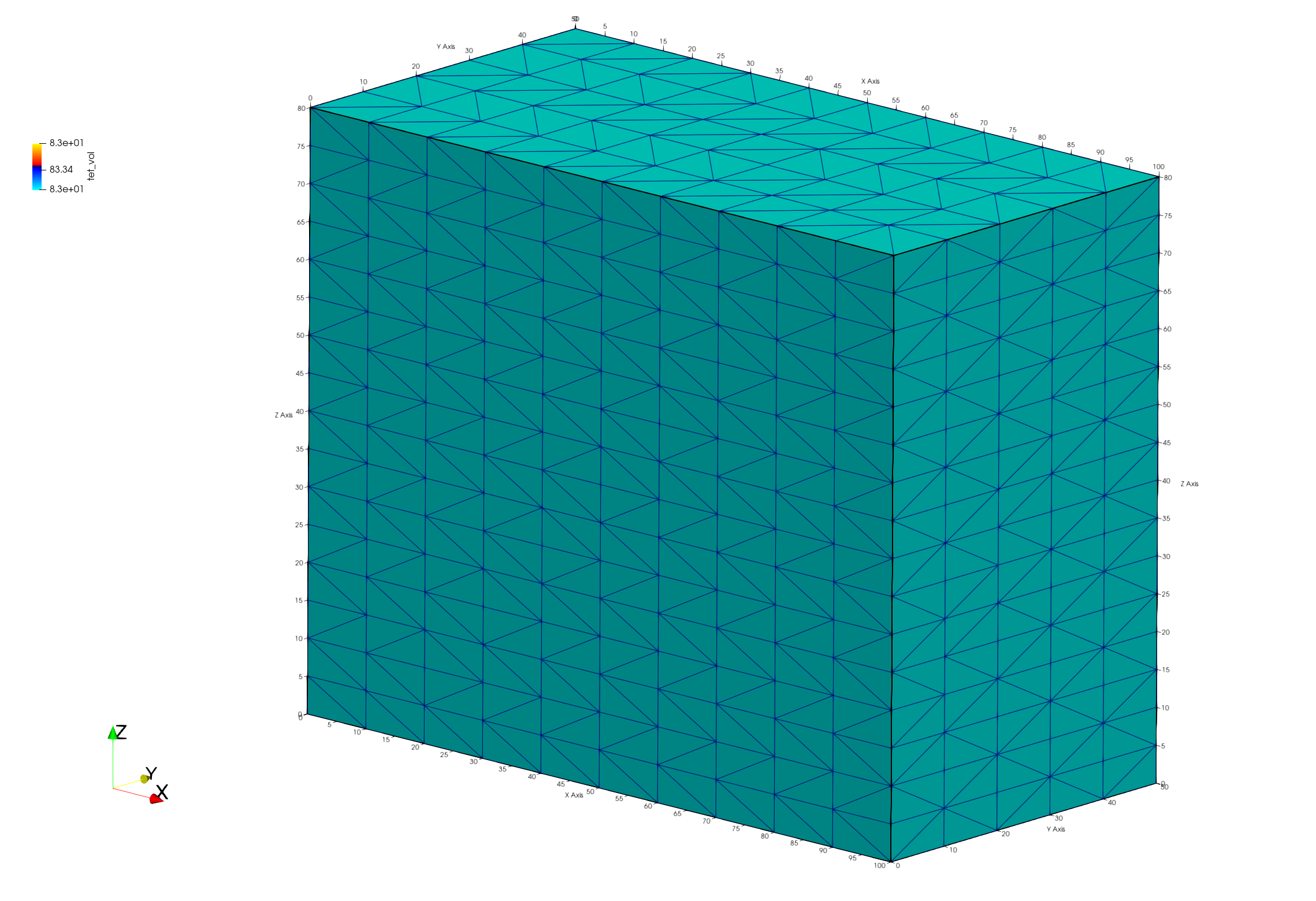
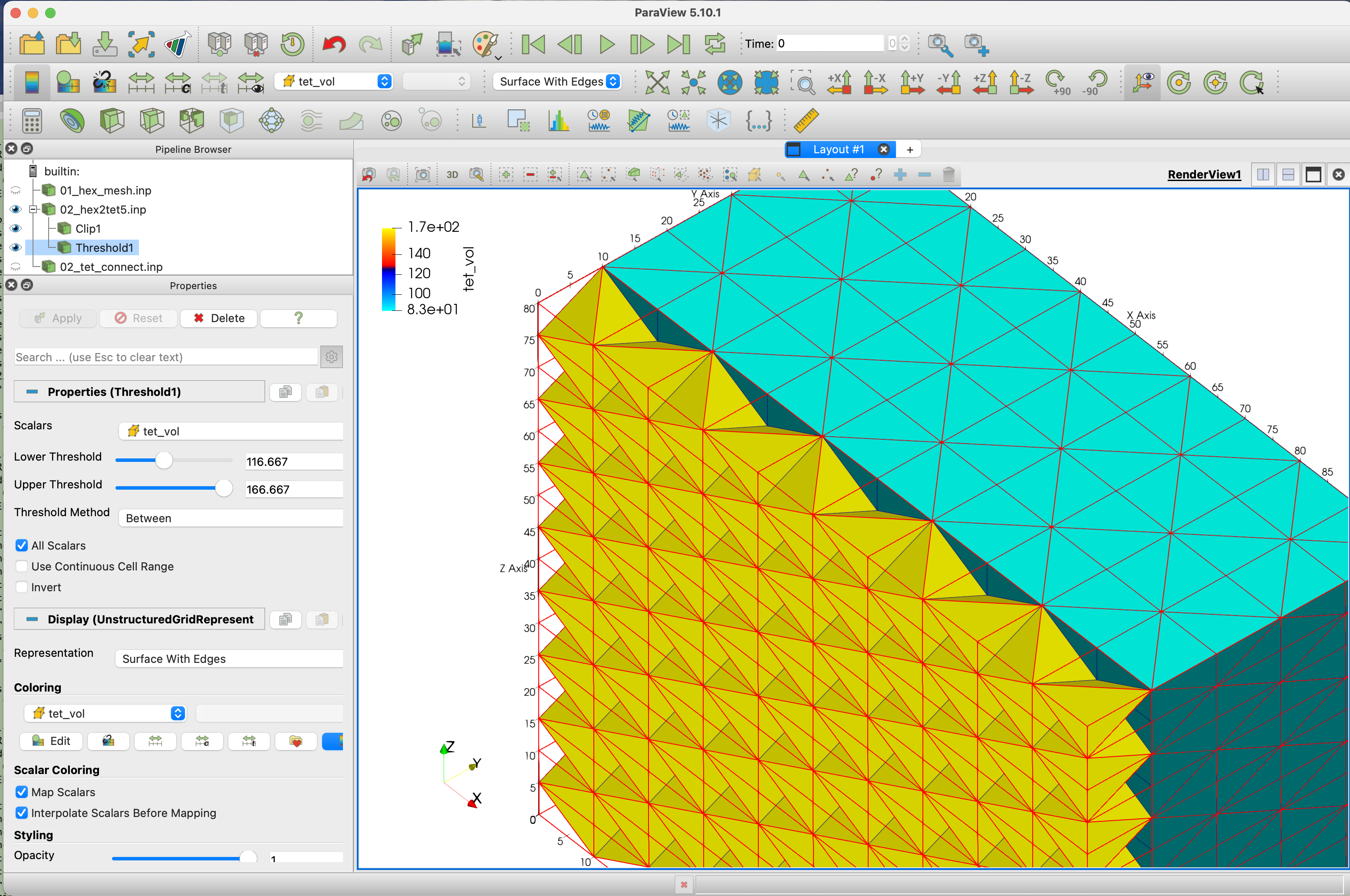
The connect mesh and the hextotet mesh have the same 1122 number of nodes. But the connectivity created 4800 tet elements with connect and 4000 for hextotet mesh. Notice the tet element minmax volumes have different results, the connected mesh has volumes all equal. For this structured point distribution, the voronoi volumes for each node have the same min max range.
cmo/printatt/mo_tet/tet_vol/minmax
ATTRIBUTE NAME              MIN               MAX         DIFFERENCE    LENGTH
 tet_vol            8.333333333E+01  8.333333333E+01 0.000000000E+00      4800

cmo/printatt/mo_tet/vor_vol/minmax
ATTRIBUTE NAME              MIN               MAX         DIFFERENCE    LENGTH
 vor_vol            6.250000000E+01  5.000000000E+02 4.375000000E+02      1122

cmo/printatt/mo_hex2tet/tet_vol/minmax
ATTRIBUTE NAME              MIN               MAX         DIFFERENCE    LENGTH
 tet_vol            8.333333333E+01  1.666666667E+02 8.333333333E+01      4000

cmo/printatt/mo_hex2tet/vor_vol/minmax
ATTRIBUTE NAME              MIN               MAX         DIFFERENCE    LENGTH
 vor_vol            6.250000000E+01  5.000000000E+02 4.375000000E+02      1122
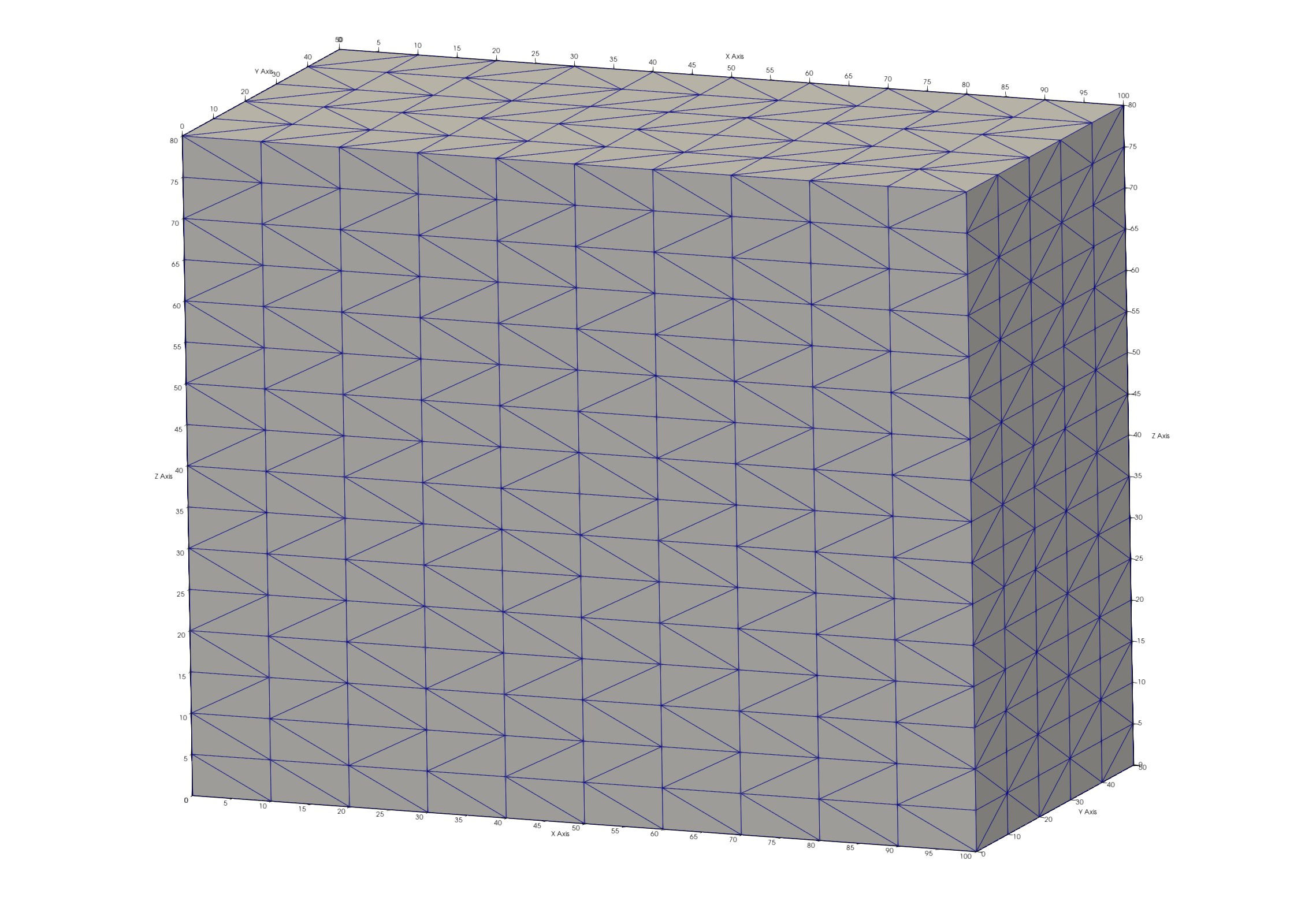
# Viewing the Tet Meshes The following images were created by using Paraview reading the AVS mesh files. Click to see full resolution images. Paraview images show tet elements colored by element volumes of connected Delaunay mesh (left) and grid2grid (right). The grid2grid view is clipped to see the internal tet elements that are larger than the tets formed at the hex corners.